Color Me Colourful
Ok I have a a new colour scheme that is just a child theme of the original. This mean instead of rewriting the whole css file I can use the original file (in this case ../MAcBlazeIII.style.css) and the just change the bits I want like colour or header size.
Still trying to figure out !important and heirarchy but so far so good…
Here is the complete child style.css file that changed this:
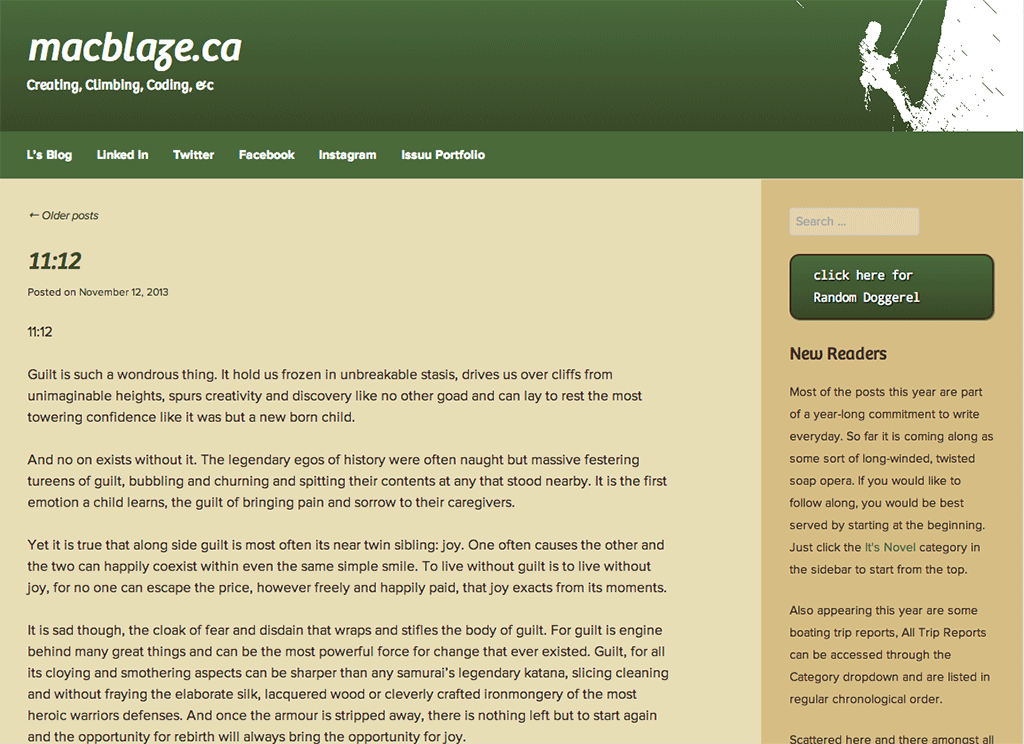
to this:
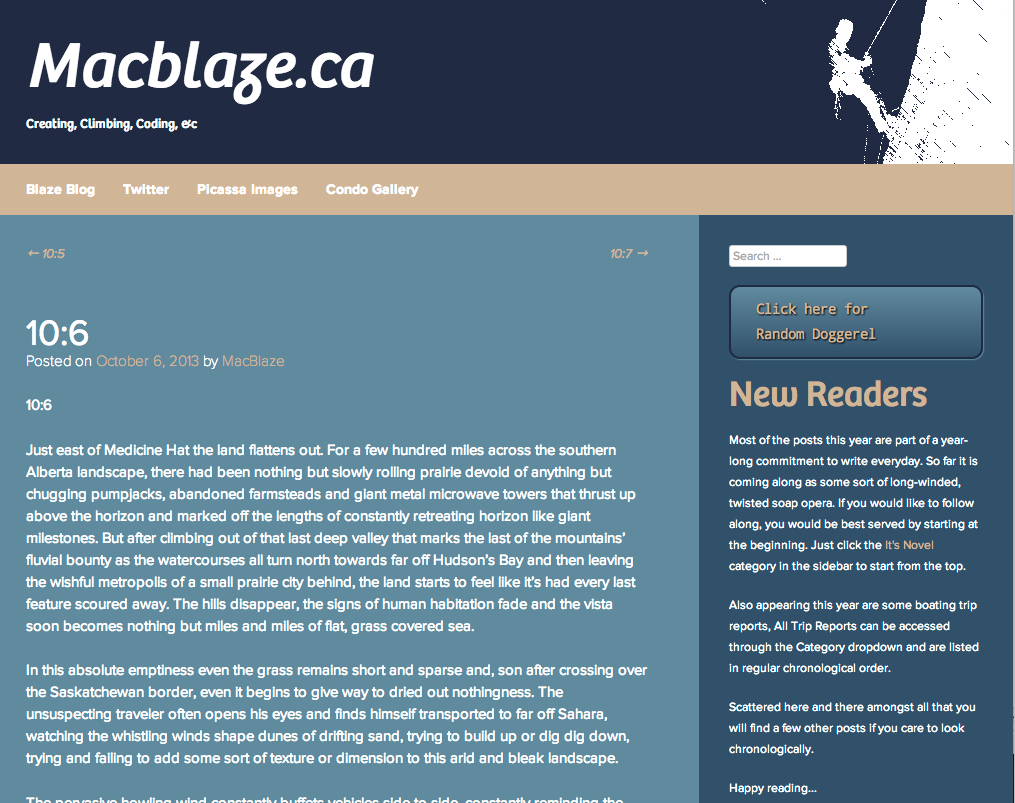
/*

 Theme Name:     MacBlaze III Child

 Theme URI:      http://macblaze.ca/

 Description:    MacBlaze III Child Theme

 Author:         B Timothy Keith

 Author URI:     http://macblaze.ca

 Template:       MacBlazeIII

 Version:        1.0.0

*/
@import url('../MacBlazeIII/style.css');
/* =Theme customization starts here
-------------------------------------------------------------- */
.widget-area {
background: #384f69 !important ;
}
.site-footer {
background: #232942;
}
.site-main {
background: #688b9e;
}
/* CSS Button */
.sidebar-button {
font-family: droid-sans-mono;
color: #FFFFFF !important;
font-size: 14px;
text-shadow: 1px 1px 2px #000000;
box-shadow: 1px 1px 1px #4b6b3c;
padding: 10px 25px;
-moz-border-radius: 11px;
-webkit-border-radius: 11px;
border-radius: 11px;
border: 2px solid #688b9e;
background: #232942;
background: linear-gradient(top, #384f69, #232942);
background: -ms-linear-gradient(top, #384f69, #232942);
background: -webkit-gradient(linear, left top, left bottom, from(#384f69), to(#232942));
background: -moz-linear-gradient(top, #384f69, #232942);
}
.sidebar-button a {
color: #FFFFFF !important;
}
.sidebar-button:hover {
color: #CCCCCC !important;
background: #688b9e;
}
/* =Global
----------------------------------------------- */
/* Links */
h1.entry-title a, {
color: #ffffff;
}
.site-content a {
color: #ccb599 !important;
}
.site-content a:hover,
.site-content a:focus,
.site-content a:active {
color: #e6c6c6 !important;
}
.textwidget a {
color: #ccb599 !important;
}
/* Main */
body,
button,
input,
select,
textarea {
color: #ffffff;
font-family: proxima-nova, sans-serif;
font-size: 14px;
font-size: 1.4rem;
line-height: 1.5;
text-align: left;
}
.entry-title,
.page-title,
.entry-content,
.entry-summary,
.widget-title,
.comments-title,
.comment .reply,
.comment-meta,
.comment-author,
#reply-title {
font-family: bree, sans-serif;
}
h1.widget-title {
color:#ccb599;
}
.widget-area p {
color: #fff;
text-align: left;
font-family: ;
font-size: 12px;
font-size: 1.2rem !important;
line-height: 1.5;
}
/* =Site Header
----------------------------------------------- */
.site-header hgroup {
background: #232942 url('img/bannertop.gif') no-repeat right top;
background: url('img/bannertop.gif') no-repeat right top, linear-gradient(top, #232942, #384f69);
background: url('img/bannertop.gif') no-repeat right top, -ms-linear-gradient(top, #232942, #384f69);
background: url('img/bannertop.gif') no-repeat right top, -webkit-gradient(linear, left top, left bottom, from(#232942), to(#384f69));
background: url('img/bannertop.gif') no-repeat right top, -moz-linear-gradient(top, #232942, #384f69) ;
height: 250px;
}
.site-title {
font-size: 45px;
font-size: 4.5rem;
font-style: normal;
font-family: "bree",sans-serif;
}
.site-description {
font-size: 12px;
font-size: 1.2rem;
}
.site-title a,
.site-title a:visited,
.site-description {
color: #ffffff;
}
/* =Menu
----------------------------------------------- */
.main-navigation {
clear: both;
display: block;
padding: .5em 1em .5em 2em;
background: #ccb599;
}
.main-navigation a {
color: #fff;
}
.main-navigation a:hover {
color: #668b9e !important;
}
.main-navigation ul ul {
background: #ccb599;
/* =Content
----------------------------------------------- */
.site-main {
background: #688b9e;
border: 1px solid rgba(0, 0, 0, 0.1);
border-width: 1px 1px;
}
/* =Widgets
----------------------------------------------- */
/* =Site Footer
----------------------------------------------- */
/* =Structure
----------------------------------------------- */
/* Graduated Screens
#div {
background: #232942 url('img/bannertop.gif') no-repeat right top;
background: url('img/bannertop.gif') no-repeat right top, linear-gradient(top, #232942, #384f69);
background: url('img/bannertop.gif') no-repeat right top, -ms-linear-gradient(top, #232942, #384f69);
background: url('img/bannertop.gif') no-repeat right top, -webkit-gradient(linear, left top, left bottom, from(#232942), to(#384f69));
background: url('img/bannertop.gif') no-repeat right top, -moz-linear-gradient(top, #232942, #384f69) ;
}
-------------------------------*/