Category: Computers
Making Videos, Animating Graphics
I consider the video below a partial success. I managed to do what I set out to do, but frankly it didn’t end up meeting my minimum standards to call it good. But I have been humming and hawing for days now and finally decided to just post it and move on, because anything else would mean starting from scratch and I think it would be a waste to toss the whole thing. So check out the first of a series of planned sailing itineraries:
Method
The first thing I need was a map. The problem is that maps aren’t free despite what you might think given Google’s presence online. And I wanted something I could manipulate the way I wanted to. So I started with a bunch of base maps that I stitched together and started tracing.
 Layer one was the base map that was a not-so-simple outline. Back in my book publishing days, I made a ton of these, oddly enough mostly of BC. But that was when I was still using Freehand before it disappeared and Illustrator became the de facto standard. And I really hate Illustrator. Well, I don’t so much hate it as resent the fact that all those years of learning Freehand now work against me. But such is life in the design community: move on and keep learning. At least the hours spent working on this map have helped get my Illustrator skills a little more polished. would have liked to add even more detail but the file was starting to balloon in size and it wasn’t actually necessary to have that much accuracy — so I started to slack a bit in places like the west coast of the Island.
Then I added in coloured layers, borders, labels and whipped up a quick compass rose. After that was done I started building a series of layers with smaller area maps that I could use later to highlight the cruising grounds.

With that done I saved the file and I fired up a new project in Adobe After Effects, then imported the Illustrator file into it. One of the great things about after Effects is that it imports the files with the layering intact and, even better, maintains a hot link to the original file so if you have to go back and change something it updates automatically (which I did several times). In After Effects I proceeded to divide the project into two main sections: the Salish Sea intro and the first planned itinerary, add some more labels and build in animations. I had an idea of what I wanted to do but no idea of how to do it. YouTube to the rescue. All the graphic animations of the map were done in After Effects including the zooms and the move pathways of the route itself.

Once those were done I exported it as two videos so I could move on to Premiere. After Effects and Premiere do support the a method of hot linking files but some of the effects I used were not supported so I was forced to render the After Effects files. This just meant that any changes that needed to be done would mean re-rendering the files and updating them in Premiere — a matter of something like 15 minutes work for each video, each time I did it. So I tried not to do it. And pretty much failed.
In Premiere imported the two videos, a selection of still images from my archives and my intros/outros. Then I proceeded to build the initial text graphics and started breaking the videos down into a rough cut.
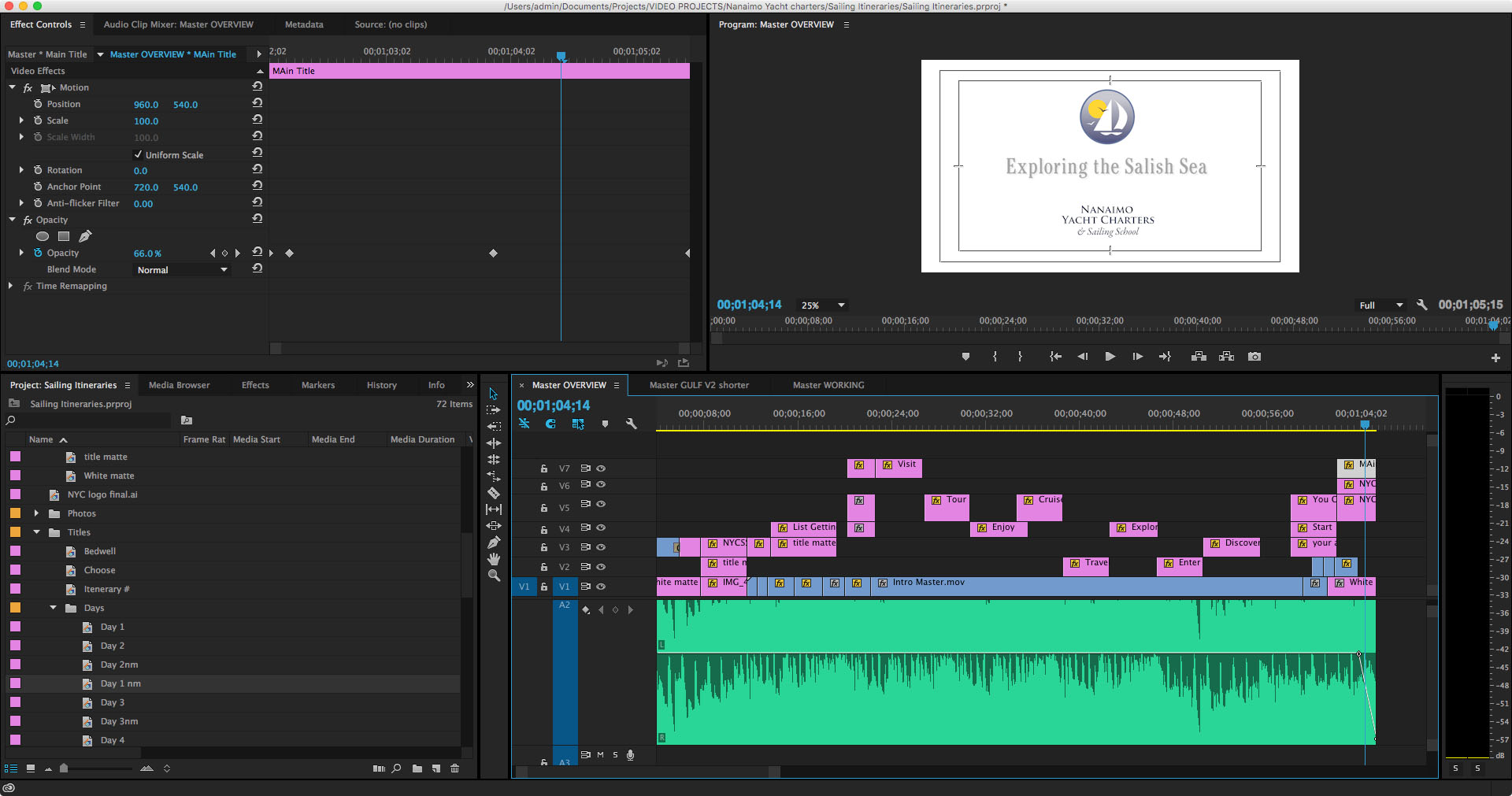
Once the rough cut was done I stared animating the text, fine tuning the timing and playing with the narrative to try and get my point across. Although by this time I was starting to wonder what my point was —which was a huge learning lesson in itself.
Eventually I got it to some place that wasn’t particularly horrible and brought in some music. Originally I wanted to do the project with a scripted voice-over but finally decided that was too much additional work for what it was looking like I was going to be able to produce as a final product. I will likely revisit that decision on the next video (if I go ahead with the project) and be able to better anticipate what I will need to have done in what order to support that sort of narrative. And then I unfortunately got carried away laying the audio track and managed to box myself into a few more corners that would take too much work to back out of.
Lessons Learned
At this point I essentially gave up on trying to improve deficiencies and focussed on completing something. I’d spent a little over a month on this so far and it was increasingly looking like I would have to go back and start from scratch (well, not quite from scratch, as the Illustrator map was perfect) in order to be able to get the result I was looking for. So I decided to get it to good enough and move on. And that’s what you see here.
Preplanning
I learned a few things about planning such an extensive media project. The first thing —which I already knew, or thought I did — is that eh more pre planning you do the less pain and problems you will encounter further down the road. I don’t think I truly appreciated how much I have learned about graphic and print production over the years that has allowed me to work fairly smoothly and problem solve on the fly without excessive documentation. Not so for motion graphics; I have a lot to learn and until I do, working out the kinks before I go into production is going to have to be the rule of the day.
Editing yourself
Again, less is more is a graphic design mantra I have long since internalized but it didn’t manage to make the transition to motion graphics. The amount of time I wasted on fancy-dancy effects that ultimately got left on the digital cutting room floor accounted for a huge percentage of the effort I have put into this. With every iteration I found myself cutting and editing things to try and simply the narrative. And frankly I still think I could have done a lot more.
Shortcuts, shortcuts, shortcuts
Know your tools. I have a personal rule that states if you do a set of actions more than three times in one session then take the time to learn shortcuts. Whether it is keyboard shortcuts, macros or simply a more efficient way of achieving your goal it almost always pays dividends when you take some time to explore your toolkit.
And organization helps a lot. I started out with a free for all of files and eventually found myself making more and more bins and folders to organize image, title bars, video clips and sequences. Next time I will start out with a whole lot of empty folders and keep it tidy as I go.
Teams
One of the reasons graphic designers can work alone and filmmakers generally don’t is that it take a huge set of disparate skills and talents to bring together motion graphics. Simply melding the audio and visual components is a massive sideways shift in perspective and I have a renewed respect for those who are auditorially skilled — I’m certainly not. As an audience we experience video differently than we do a static page and there is a whole language I am learning to describe how viewers interact with the screen. A lot of it comes from how we read and view the printed page, but a lot it does not. I am going to have to learn more than a few software programs if if I want to get better at this.
In conclusion
Anyway, I have called this project a wrap and will move on to the next and hopefully do a better job. Because every time I look at this particular video I still want to go in and change something — and I think it’s time to stop looking.
If you have any interest in seeing more sailing related video, my youtube channel can be found here:
My First Wikipedia Article
 I generally use Wikipedia to look up pub dates for books I am reading and to keep track of series orders etc. Imagine my surprise when I looked up Blake Charlton — who has three books published by Tor — and there was no entry. While I have occasionally edited a Wikipedia article, I have never attempted to write one from scratch so this looked like a good opportunity.
I did a brief bit of research and outlined a brief entry (see below). Then I submitted it without creating an ID. This puts it into a hold queue waiting for review from more senior Wikipedians (Wikipediaites?) to review, approve or reject.
The interface is surprisingly easy to maneuver at first but it becomes increasingly more complex and arcane as you get down to details. Which is as it should be I suppose.
The queued entry can be seen here: https://en.wikipedia.org/wiki/Draft:Blake_Charlton
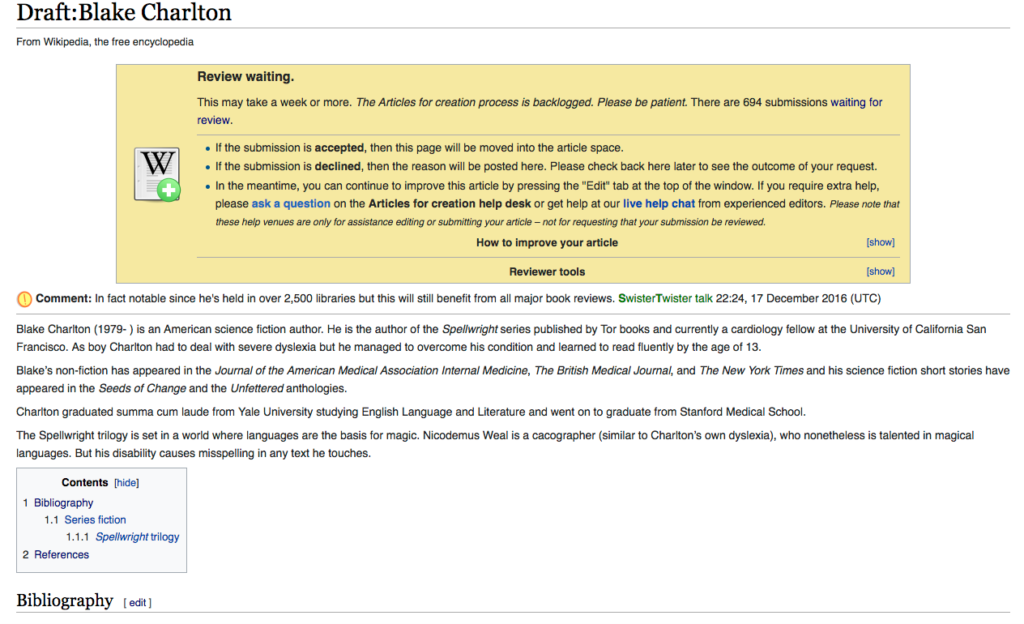
Blake Charlton
Blake Charlton (1979-) is an American science fiction author. He is the author of the Spellbreaker series published by Tor books and currently a cardiology fellow at the University of California San Francisco. As boy Charlton had to deal with severe dyslexia but has he managed to overcome his condition and learned to read fluently by the age of 13.
Blake’s non-fiction has appeared in the Journal of the American Medical Association Internal Medicine, The British Medical Journal, and The New York Times. and his science fiction short stories have appeared in the Seeds of Change and the Unfettered anthologies.
Charlton graduated summa cum laude from Yale University studying English Language and Literature and went on to graduate from Stanford Medical School.
The Spellwright trilogy is set in a world where languages for the basis for magic. Nicodemus Weal is a cacographer (similar to Charlton’s own dyslexia), who nonetheless is talented in magical languages. But his disability that causes misspelling in any text he touches.
Bibliography
Series fiction
Spellwright
- Spellwright (2010, Tor Books, ISBN 0-7653-8856-8)
- Spellbound (2011, Tor Books, ISBN 0-7653-5659-8)
- Spellbreaker (2016, Tor Books, ISBN 0-7653-1729-2)
References
- http://dyslexia.yale.edu/charlton.html
- https://nl.wikipedia.org/wiki/Blake_Charlton
- http://www.blakecharlton.com
- http://www.nytimes.com/2013/05/23/opinion/defining-my-own-dyslexia.html
This entry created and uploaded as a part of the Ulysses testing process.
A Test-drive of Ulysses
A writing program
Ulysses is a writing program that I putzed with for about 5 minutes during NaNoWriMo but didn’t look at again. Then it turned out they were offering a few free copies of the software to lucky contestants in a draw. I entered. I won. So now I have my own fully functional copy of Ulysses to play with.
It features iCloud syncing, sheets that can be merged etc, export styles, and attachments. Ulysses is designed to make writing easier. I have generally used IA Writer Classic in the past because I have old version that work on my old first gen iPad. I am not sure yet if I will switch but that’s what this exercise is for.
Markdown
Ulysses uses Markdown XL for formatting functions. I have previously dabbled in Markdown on the blog but this has a few more bells and whistles. The full list of available definitions is accessible via ?9 or the toolbar’s A| button.
I am writing these all down again as a reminder to myself and to practice getting used to the language.
Heads (preceded by pound symbols — one for each level)
quote: preceded by greater than (>) symbol
emphasis is ?I or a bracketed by single asterisks (*)
Bold is ?B or a bracketed by double asterisks (**)
A divider is 4 dashes
——
Lists
- unordered lists
- are preceded
- by a dash
- and a space
- ordered lists
- are preceded by
- the numeral,
- a period
- and the space
Add highlighted text (bracketed by double colons ::) or deletions (bracketed by double vertical bars ||)
Comments are bracketed by double plus symbols ++you can see this comment only because I overrode the code++
…or are paragraphs preceded by double percent signs
%% This is a comment paragraph, again visible
because I used code to override
Text Objects
A Footnote1 Type (fn), enter your footnote text and hit Cmd-return
To add a link, type square brackets [ ] around a word or phrase (or use the ?K shortcut).
To add an annotation type curly brackets { } around a phrase, It is basically a note added to that phrase. I don’t think it exports.
<a href="sample code> is done by bracketing with the tick mark (found under the tilde). Entire paragraphs can be done by preceding with double single quote marks
code code code code etc
Executable code that won’t show in a pdf but will in a html doc can be made by using Raw Source: bracketing with double tildes or paragraphs preceded by double tildes.
So this ~~<a href="http://www.neverforever.ca">A link to neverforever.ca done manually in html</a>~~ appears as this:
A link to neverforever.ca done manually in html
And finally, here’s a link to a pdf 
And that’s it for the Markdown portion of Ulysses. More to come…
- This is a footnote (it appears at the bottom with an automatic link) ?
Reposts etc.
When I started up neverforever.ca I had intended it for a broader audience than my personal blog so that meant making some attempt at promotion was called for. Besides sharing links for each post on Facebook and Twitter, I also answered a call from threesheetsnw.com to provide content for their site aggregator. They would repost the first couple of paragraphs and or images from a post that they thought was appropriate for their readership and then link to my site for the balance. They didn’t pick up every post I made but did contribute significantly to the traffic overall.
But not so long ago I was looking at the site stats and noticed that a whole bunch of viewers —hundreds! — of my post about my trip down to LA had come from the same site — which was actually someone’s e-newsletter. Seems Cruising Compass had picked up the story and republished an excerpt and link in their weekly newsletter and of course also on their home site, BWSailing.com, under the heading Website of the Week (A West Coast Journey: Not So Offshore).

Now I in no way mind that they did this, but I do wonder at the lack of permission seeking or even notification. I would never had known about it if I hadn’t investigated the spike in traffic. I originally had thought it was due to my latest post , but quickly realized that it was for a post that was over a month old. That led to discovering the above. But, as they say, any publicity is good publicity…
Movie Time?
Guess who got a new action camera? I picked up a SJ4000 from 6mega for only $120. I decided to go for it after watching a review of different underwater cameras by Gone with the Wynns. It comes with an underwater housing and a bunch of mounts. And hey, for 120 bucks how can you go wrong?
Seriously though, I am hoping it will make getting some good sailing footage much easier. Now I just have to wait for sailing season…
My ride home from buying microSD cards. It’s always something…
A new camera!
In a long-line of new cameras I now present…
My New Camera!

My first digital camera was a Panasonic Lumix DMC-LZ1. It died on our trip west in 2007 so I was forced to borrow my Mom’s Canon. I replaced it with a Panasonic Lumix DMC-LZ7 because I had been happy with the first one up until it died. One of the things I confirmed was that when travelling I like using regular batteries. Hanging out in campground bathrooms waiting for a battery to charge was not “on.” So when my trusty Panasonic died at the end of our last sailing trip it was time to go shopping again.
But cameras that run on AA batteries are few and far between. I finally landed on the L830 because I figured on the boat that compact was not the biggest concern and the 30X zoom would finally allow me to take a picture of a whale or dolphin that wasn’t just a speck. It takes 4 AAs instead of 2 but the battery life is supposed to be pretty good (another thing I don’t like about the rechargeables).
So I guess we will see; I havent had any opportunity to try it out yet. I got some stunning images with the old Panasonic and I will miss it but that’s what happens in this fast-paced world of ours.
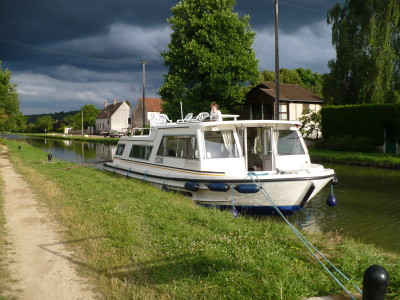
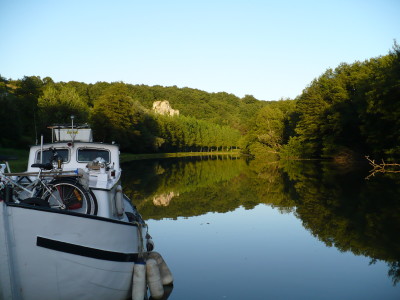
Some favourites from the old camera:

Posting Issues
The latest auto post using SNAP didn’t work. I think it’s a combo of the XMLRPC issue and a new update to WordPress. I filed a ticket with the creators and heard back from them but they are still working on it.
For those who are interested you can read it here: Anchors Away

But as for the SNAP issue, it worked for the first 3 times and then the latest attempt threw up this error:
[Error] [WP - WordPress(Macblaze)] - -=ERROR=- Array ( [pgID] => [isPosted] => 0 [pDate] => 2015-05-05 18:43:20 [Error] => -=ERROR=- transport error - HTTP status code was not 200 - 0 - | HTTP/1.1 404 Not Found Date: Tue, 05 May 2015 18:43:20 GMT Accept-Ranges: bytes Content-Type: text/html X-Varnish: 20178337 Age: 0 X-Cache: MISS Content-Length: 2019 Connection: keep-alive <!DOCTYPE html PUBLIC "-//W3C//DTD XHTML 1.0 Transitional//EN" "http://www.w3.org/TR/xhtml1/DTD/xhtml1-transitional.dtd"> <html> <head> <title>404 Not Found</title> <meta http-equiv="Content-Type" content="text/html; charset=utf-8" /> <style type="text/css"> body { font-family: Verdana, Arial, Helvetica, sans-serif; font-size: 12px; background-color:#367E8E; scrollbar-base-color: #005B70; scrollbar-arrow-color: #F3960B; scrollbar-DarkShadow-Color: #000000; color: #FFFFFF; margin:0; } a { color:#021f25; text-decoration:none} h1 { font-size: 18px; color: #FB9802; padding-bottom: 10px; background-image: url(sys_cpanel/images/bottombody.jpg); background-repeat: repeat-x; padding:5px 0 10px 15px; margin:0; } #body-content p { padding-left: 25px; padding-right: 25px; line-height: 18px; padding-top: 5px; padding-bottom: 5px; } h2 { font-size: 14px; font-weight: bold; color: #FF9900; padding-left: 15px; } </style> </head> <body> <div id="body-content"> <!-- start content--> <!-- instead of REQUEST_URI, we could show absolute URL via: http://HTTP_HOST/REQUEST_URI but what if its https:// or other protocol? SERVER_PORT_SECURE doesn't seem to be used SERVER_PORT logic would break if they use alternate ports --> <h1>404 Not Found</h1> <p>The server can not find the requested page:</p> <blockquote> macblaze.ca/xmlrpc_wp.php/xmlrpc.php (port 80) </blockquote> <p> Please forward this error screen to macblaze.ca's <a href="mailto:cpanel@stablehost.com?subject=Error message [404] 404 Not Found for macblaze.ca/xmlrpc_wp.php/xmlrpc.php port 80 on Tuesday, 05-May-2015 14:43:20 EDT"> WebMaster</a>. </p> <hr /> <!-- end content --> </div> </body> </html> ) | PostID: 0 -
I have no idea what it means so I will have to wait and see…
Crossposting and Crontab
About 15 minutes after I wrote the below post my dissatisfaction with that plugin and Jetpack’s Publicize (which posts to social media like Facebook and Twitter) sent me looking for an all-in-one solution. The most popular plugin seemed to be SNAP (Social Networks Auto Poster), so I gave it a try. It does require you to create an app in both Facebook’s and Twitter’s developer pages but the step-by-step instructions were detailed and flawless.
As a result I now am using the plugin on neverforever.ca and it auto-posts all new content to all three (and more if I want) sites.
Slick-er
I have been neglecting this blog after a great start to the year… sigh. It was mostly a conflation of an issue of the magazine, buying a boat and then setting up another blog for the boat. I have read a lot of boat blogs leading up to our decision and thought I would document our ‘journey’ for the edification of others.
Anyway one of the things I wanted to set up to help alleviate the problem was a way to post to both blogs at once. When we get going it is unlikely I will have the time or bandwidth to maintain both blogs. My initial attempt is using a plugin called feedwordpress. What it does is allow this blog (macblaze.ca) to monitor the RSS feed from neverforever.ca and then, when a new post appears, syndicate (repost) it here.
It’s not the simplest interface I have come across and so far the bells and whistles don’t seem to functioning as advertised but the basic premise is ok. The big issue was I couldn’t get it to do it automatically without digging through the wiki. It seems I needed to set up a cronjob on my web server. Now I am pretty lucky and my server has a great interface. I just went to the crontab button and added the command:
*/10 * * * * /usr/bin/curl --silent http://macblaze.ca/?update_feedwordpress=1And then I added a test post and voila! What this does is tells the server to go to the url “macblaze.ca/?update_feedwordpress=1” every 10 minutes. By doing that the plugin does an update on the RSS feed and then posts anything new.
Slick.
The issues comes with the options to control the post categories and post authors. To date I haven’t been able to make those options work. But I’ll keep trying. And I will have to remember to remove the cron job if I dump this particular plugin.
Online sketching!
I am so a visual person. Most times if I am trying to explain something I will grope around for a paper and pen to try and sketch it out even if it has nothing to do with a visual concept. Hell, you should see my notes from writing papers in University—tree diagrams and thought bubbles…
Anyway I came across this cool tool today while reading an online argument about pulleys and mechanical advantage. One that I would never have been able to follow without the many sketches involved. It’s an online whiteboard (free) that allows you to quickly sketch something out and then share it. Like this:

Above is a hot link to the image on their site. I don’t know how long it will be hosted there but you can just as easily download the image and host it yourself:

But even if the hot link doesn’t last for ever, this is a totally, totally awesome tool for communicating remotely. https://awwapp.com/
Ascending Order
I can’t believe I don’t have blog post about this. But I went looking for it today to make some adjustments to my new boating blog and there are absolutely no instances of me blogging about it. So without further ado…
Reversing Blog Post Order
One of the things you often come across is a blog or online journal that traces someone’s journey. For me lately this has been blogs of boaters or people who have set out on a grand adventure to sail away from their land-based lives. Naturally you want to read these from the beginning to the end. I was/am astounded the number of blogs that don’t allow this. But its not really surprising given the hoops one has to jump through in order to change how a blog is designed to be used. This is my solution for WordPress but there must be one out there for Blogger or other common blogs.
Since this blog uses a theme I designed myself from ground up, I figured it should be pretty easy too solve the issue and this turned out to be pretty true. For a couple of years now people have been able to read my Trip Reports in chronological order simply by reading them by category. With a bit of file editing, this was a snap to do.
Duplicate the category.php page ( /wp-content/themes/[your theme])and rename it category-(insert category ID).php. For example all the posts in my Broughton trip are in category with the ID of 89, so I created category-89.php file in my Theme’s folder. WordPress automatically uses that file when asked to display all the posts in the Broughtons category. Finding the category ID might take a bit of trial and error.
The Loop
Most category pages will have a thing called The Loop, which essentially calls all the entries from the database while certain conditions are true. WordPress’s default is to call the posts in descending order. This is the basic loop:
<?php
if ( have_posts() ) {
    while ( have_posts() ) {
        the_post();
        //
        // Post Content here
        //
    } // end while
} // end if
?>
To change the order I edit that file’s php adding <?php query_posts($query_string.”&orderby=date&order=ASC”); ?> after the initial if ( have_posts() ) call. That way the loop calls the individual posts in ascending order. Since this is done in the custom category php file it only effects that specific category. Other categories will still display posts in the traditional descending order.
<?php if ( have_posts() ) : ?><?php query_posts($query_string."&orderby=date&order=ASC"); ?>
Good Code
Now I am admittedly not much of a coder and since I wanted to have all Trip Reports viewable in ascending order, this method has resulted in a score of category-x.php files littering up my theme. But it worked for me and I haven’t been motivated to change it.
But now that I have started to work on a boat blog and I wanted to use someone else’s more elegant theme, my simple solution didn’t work. For one thing the theme I chose didn’t have a loop in the category page, but simply a Function that called the loop based on a parameter of ‘category’. Then when I investigated the function.php file, I found this theme doesn’t use a simple and easily parsed Loop and, since it’s a Function not a direct php call, the code is subtly different.
The theme’s function used one main loop to do calls for all the various scenarios: list by category, list by author, list on front page, list on blog page, etc. What I needed to do was find the appropriate IF statement and embed query_posts (array( ‘orderby’ => ‘date’, ‘order’ => ‘ASC’)); within the appropriate <?php statement. A bit of trial and error resulted in a limited success. Always remember to have backups you can revert to! Now if you select anything but the default post view i.e. a category page, all posts will now be displayed in ascending order.
If I want to display only certain categories or posts by certain authors I am going to have to figure out both how and where to insert a custom IF statement in the Function or easier yet add a new Function by duplicating the existing one, adding the change and renaming it. Then I can call it from my typical custom Category page. I haven’t decided which is a more elegant yet simple solution…
Postscript
So after all that I still updated the Fruitful theme and still lost my custom code, and this babling above was still not enough to make it an easy fix. Sigh.
So what I needed to do was insert the code below in the functions.php file at around line 1670.
/* CUSTOM REVERSE ORDER ON CATEGORIES ETC */
query_posts (array( 'orderby' => 'date', 'order' => 'ASC'));
/*END CUSTOM*/
This is the section that starts if ( ! function_exists( ‘fruitful_get_content_with_custom_sidebar’ ) ) and comes right after the
< ?php if ( have_posts() ) : ?>
somewhere around line 1735
< ?php
/* CUSTOM REVERSE ORDER ON CATEGORIES ETC */ query_posts (array( 'orderby' => 'date', 'order' => 'ASC'));
/*END CUSTOM*/
            if ( is_category() )