Instagram This Week

Instagram This Week

#humpbackwhale #watercolor #newart


Instagram This Week

Tracking Never for Ever with Farkwar
Before I get started
If you read my previous post about adding KMLs and posting tracks website be sure to go back and check out the new addendum. A comment someone posted made me realize I could eliminate a lot of hassle in the middle bits by using Google Earth as an editor.
***
Where are we?
I’d been looking for a way to track my position and share it with friends and family in as close to real time as possible. Again it is something I could do by buying something like a Garmin INReach and paying for a subscription, but I just can’t justify the cost. I came across Farkwar because a bunch of other boat blogs I follow used it (Denali Rose and Little Cunning Plan). It’s a personal project by a cruiser/programmer and is available for free (unless you feel motivated to donate something).
 Farkwar was designed to work with things like inReach or Iridium Go but also accepts input from a simple web interface or by email. The designer set it up to automatically parse position footers from emails coming from the popular Airmail/Sailmail program. Simply send an email and it updates your position. Of course this necessitates having the proper linkage etc. between your GPS and mail which I don’t have.
What Farkwar does is take your submitted position reports and post them on a map on it’s website.

It will also share your position on Twitter and (if they can get it working again because FB broke the interface) Facebook. You can also set it to link the position report to current blog posts on your site.
What I do
Once I decided to use Farkwar, I set about figuring out how to use it with the tools at hand. What I needed to do was to send a specifically formatted email to a unique “secret” email (which Farkwar gives you after you sign up). The trick was in getting the formatting right since it is parsed by a computer and doesn’t like stray commas or spaces. Once I got eh format figured out I saved it as a master file.
This is my saved default email:
We are currently tied up at our slip in Nanaimo.
–––––
At 28/06/2018 10:15 (pdt) our position was 49°11.3095?N,123°56.8367?W

Destination: finished trip
I use an iPhone. So I save the above email in Notes and just reuse it whenever I want to report. I did have a problem at one point when the iPhone helpfully changed the 5 dashes to one long line and the emails stopped working until I figured it out.
There are 4 main parts:
- The body of the report. I don’t know if there is a character limit, but I haven’t run into one. You can put as little or as much as you want in the report.
- 5 dashes indicate the end of the report body and the start of the position report.
- Time and position. There are several formats of lat and long that will be accepted and it depends where you get that data from.
- Destination. I usually just change this for bigger destinations like Desolation Sound or the Broughtons. This is mostly because I use Farkwar as part of my Float Plan.
How I do it
Step one: Open My GPS Coordinates on my iPhone. This is a free app that instantly gives me my lat and long in a mostly correct format. After I’ve opened the app I just hit the wheel in the upper right and hit Copy Coordinates.
Step two: Open Notes and find my Farkwar template.
Step three: Select the old GPS coords and then paste the new ones over top. At this point I need to fix the format because My GPS Coordinates puts spaces between the degrees and the minutes as well as between the minutes and the direction (N or W). Simply delete the 4 errant spaces
Step four: Edit the date and time and add a brief note about what we are doing.
Step five: send the note as an email to your secret Farkwar address and you are done.
This info is updated on the Farkwar map and sent out as a tweet (and hopefully some day once again posted to your Facebook feed).
Embed the Map
I have the map embedded on my float plan page. If you ever want to see where we are, then check there. I try to update it every day we are aboard. If I don’t have cell service I send it anyway and it will update when the phone connects.
To embed the map simply add an iframe to your website with this code: <iframe > src="http://farkwar.com/boats/<boat name>.map" height="500px" width="100%"> </iframe>
Other Bells & Whistles
You can also manually add positions using the web interface. If you add your website it will associate blog posts with position reports.
Farkwar also allows you to follow other boaters and get email notices, and also to form fleets of other boats that you might want to track. All in all a great little tool at a great price.
—Bruce #Cruising
Posting My Tracks on the Site

With an old Raymarine e80 and no real excuse to invest in a Garmin InReach or a Spot satellite tracker, it has always been a challenge to get tracks of our trips in a format I can share. And I like to share. I have previously documented my boat tracking attempts on my personal blog (here and here) but I don’t think I ever summarized the Google Maps procedure I now use. It’s a lot of work and very convoluted, but I do find going through it is a good way to summarize the trips in my head after I get back home and I always get some enjoyment from bending technology to my will 🙂 Your mileage may vary.
Recording the Tracks
While crusing we start a new track each day using Navionics on the iPad. It’s a first gen and is occasionally cranky, but it lives below plugged in to the usb charger and is generally happy enough to do this one simple job. It also syncs the tracks via wifi to my much more modern iPhone 7, so I can work with them later from both places.
iPad: Navionics v4.7.2 (this is an ancient iPhone version)
iPhone: Navionics US & Canada v11.1
Then when we get home (or I have some leisure time to screw around with computers) I start working on consolidating the tracks and posting them online.
The Procedure
1 — The first job is to get the pesky KMLs in the first place. Right now the easiest way is to email them from the app to myself. Here’s what that looks like:

iPad version of the email

iPhone version of the email
The iPad gives me an attachment with the KMZ (which is essentially a KML embedded with graphics etc.). The iPhone version gives me a link to download the KML, which adds another step. Recently the KMZ files have started to be rejected by Google Maps, so while I find the attachment handier to work with , it looks like I am going to be stuck with using the link to the KMLs unless I want to dig the embedded KMLS out of the KMZs.
I really wish there was an easier way. But all the other options (DropBox etc.) just save the graphic and not the link. I have also used the Save to Notes option (btw this is all done on a Mac—no idea how it works on a PC…sorry) which is a bit faster and gives the exact same info as the email but for some reason the links are not clickable and just makes for a few more steps.
2 — So after sending myself a gazillion emails, I click the link to download each KML in turn and organize them in a folder. At this point I generally pause to make a small spreadsheet with departure and arrival points as well as dates and times, so I can keep it straight and later include that info in a blog post.
3 — Next I can either upload them all, separately, to Google maps or take the time to edit the text files and string them all together. If I edit the files (more about that in a minute), it is much quicker to upload but then they all run together negating the ability to keep the days separate. If I don’t edit them together I will have to go into Google maps and start merging layers as Google maps has a limit of 10 layers it will allow you to create.
To merge files…
KMLs are just text files, in fact they are just xml files. You can open them in any text editor and muck around as much as you want. Open up the files and look for the section that contains the coordinates. You can then cut and paste these coordinates from multiple files into one master file to create one long track.

To upload, go to maps.google.com and sign in to your Google account (you need a Google account, obviously, to do this). Click on Your Places in the sidebar, then MAPS and hit Create Map. Or you can also go straight to mymaps.google.com and hit +Create a New Map.
4 — Hit Untitled Map and an edit box will pop up so you can change the name of the map and add a description if you so choose.
5 — Under Untitled Layer, click Import and select the KML file or drag it into the pop-up window. Don’t bother changing the title yet.

What should appear is an error message, a Start and End icon and the track itself. The error message can be cleared (not necessary if you don’t want to) by clicking on Open Data Table and then right clicking on the first row where it says Navionics. Simply delete the row and close the window.
Oops
At this point in writing this post I ran into a snag. It didn’t work. MyMaps kept kicking out an error that said: An error occurred. You may continue to use the application but any change that you make may be lost. Reload page.
After a few days of experimenting and fussing I finally went through a line-by-line comparison with a few older KMLs that did work and one of the many files that didn’t (some that I know for a fact used to). And in the end I found the issue.
In the section marked <IconStyle> (around line 22) Navionics supplies two https addresses: one each for its start and stop icons. Google doesn’t like them anymore. If you replace al link like “https://social-sharing.navionics.io/images/fb_sharing/kmz_end_icon.png” with “kmz_end_icon.png” for both the start and stop icons then voila…it works.
Boy, this just keeps getting more and more complicated.
Then click Add Layer and repeat this step 9 more times, creating new layers for each new KML.
6 — At this point you will have to merge some layers. It’s another finicky job. You have to drag the three elements (Start, End Track) up to a master layer to consolidate them — I usually do this by weeks although this limits you to 10 weeks per map. I rename the tracks by Day # to keep track and occasionally change the colour of the tracks for visual organization.
Once a layer is emptied then delete it, create a new layer and start the import process all over.
Repeat as necessary until all your tracks are uploaded and organized.
7 — Now you need to make it public. Click Share (beside the Add Layer button) and under Who has Access change Private to ON — Public on the web. Hit Save and then Done.
8 — Click on the three vertical dots at the top (on the right hand side across from the map name) and select Embed on my site. This will give you some iframe code that you can paste into your website, which embeds the map. The default is width=”640″ and height=”480″. This is the box size in pixels and you can change it to suit your needs. There are other options you can work with like setting the Default View (what the map looks like when someone first sees it. If you wish to use some thing like Google’s terrain map or the satellite view just click on Base Map at the bottom of the layers and select your favourite.
In conclusion
And, after all that, I almost always post a screen capture image of the complete map just in case Google ever decides to boot me off its system.
So. Is it worth the effort? I think so. But that may be because I like mucking around with computers. If you don’t, you might be better off coughing up for something like a Garmin and using their built-in system or just sharing your tracks as static images using the email function I mentioned above. Navionics will also share to Facebook, Instagram and Twitter. And then there’s always the idea of a fancy new wifi enable chartplotter…
Stay tuned and I will do a follow-up post (much shorter, thank goodness) on how I am using Farkwar for daily position updates.
Addendum
Thanks to a comment below made by Patrick of SV Violet Hour, I tried something a bit different. It seems I can use Google Earth to organize all my files into one big layer, then export it as a single KML file and which I then import as a master file into MyMaps.
Using Google Earth offers a ton of advantages:
- Drag and drop import of files
- Will take KMLs or KMZs
- It doesn’t hiccup over the start icons
- The actual reorganizing of layers isn’t as fussy. MY Maps web interface often makes it hard to drag and drop elements within the layers
All in all a way faster and less frustrating way to do things. Just goes to show there is always an easier way when it comes to computer stuff.
Instagram This Week
 Checking out the Edmonton Guitar Show and the talented @brockstoyko of Stoyko Guitars
 Followed a new sourdough recipe from @frenchguycooking — so far so good!
Instagram This Week

Instagram This Week

Instagram This Week

Instagram This Week
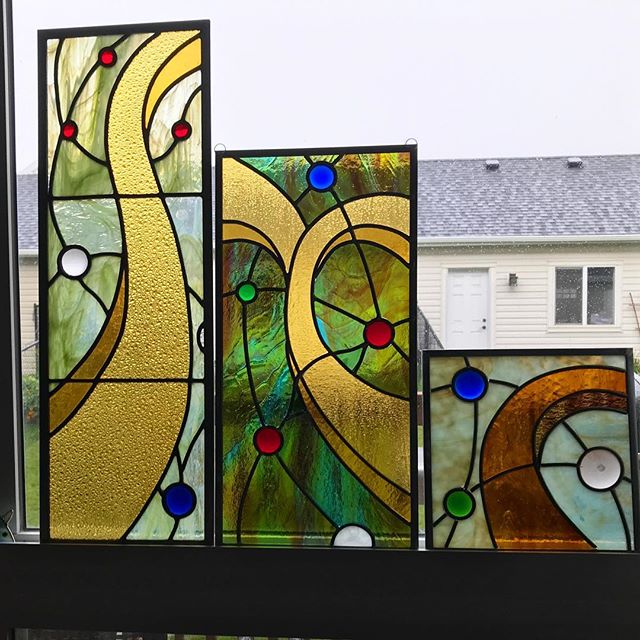
#variationsonatheme #stainedglass #leadlight #abstractart


#stainedglass #lead #abstractart


I call it Trapped: A Vitruvian Stickman Lol

