Instagram This Week

5 Years!
Its time for a 5 year update
We’ve owned Never for Ever for almost exactly 5 years now. And its been a pretty damn pleasant experience so far. Will our luck hold? Time for an update…
A Little Background
If you’ve haven’t gone through the whole blog, here is a little bit of how we came to own our trusty 2003 Hunter 386.
When we started this process 2014 we wanted a boat to own for one year while L had her sabbatical. The intent was to sail the PNW, overwinter in Victoria while living aboard and then sell her after we had to come back to real life in July 2016. Which is what we did. Except for the selling part. In the end we just couldn’t part with the lifestyle and we decided to keep her and put her in charter with Nanaimo Yacht Charters to provide guardianship and help defray ownership costs.
The year-long sabbatical meant we wanted a turnkey boat that we could board and sail away without any extra major investment, or worse, time delays. A lot of searching ensued and as luck would have it we landed on what has been the perfect boat, at first for the living aboard, and then for putting her into charter.

The initial survey
What’s it cost?
Other than the initial purchase price, we’ve done well. There was a bunch of cash we spent right off the bat before we even set off, but the largest costs of ownership since then have been fixing leaks. And that high number mostly stems from paying people to do it as we are 1000+ kilometres away from her 80% of the time.
Initial expenses:
- new Rocna anchor
- new galvanic isolator
- new graphic decals
- new batteries
- new hot water heater
Major things we spent money on since then:
- 120′ new anchor chain
- Webasto heater repairs
- BMS (battery monitoring system)
- new stove thermocouples
- 2 head rebuild kits
- chasing down leaks and repairs
- 2 macerator pumps
- new head hoses
- new fender
- replacing the motor mounts
- a new hatch
- new (used) e80 chartplotter
- a new shower faucet
- and a new windlass
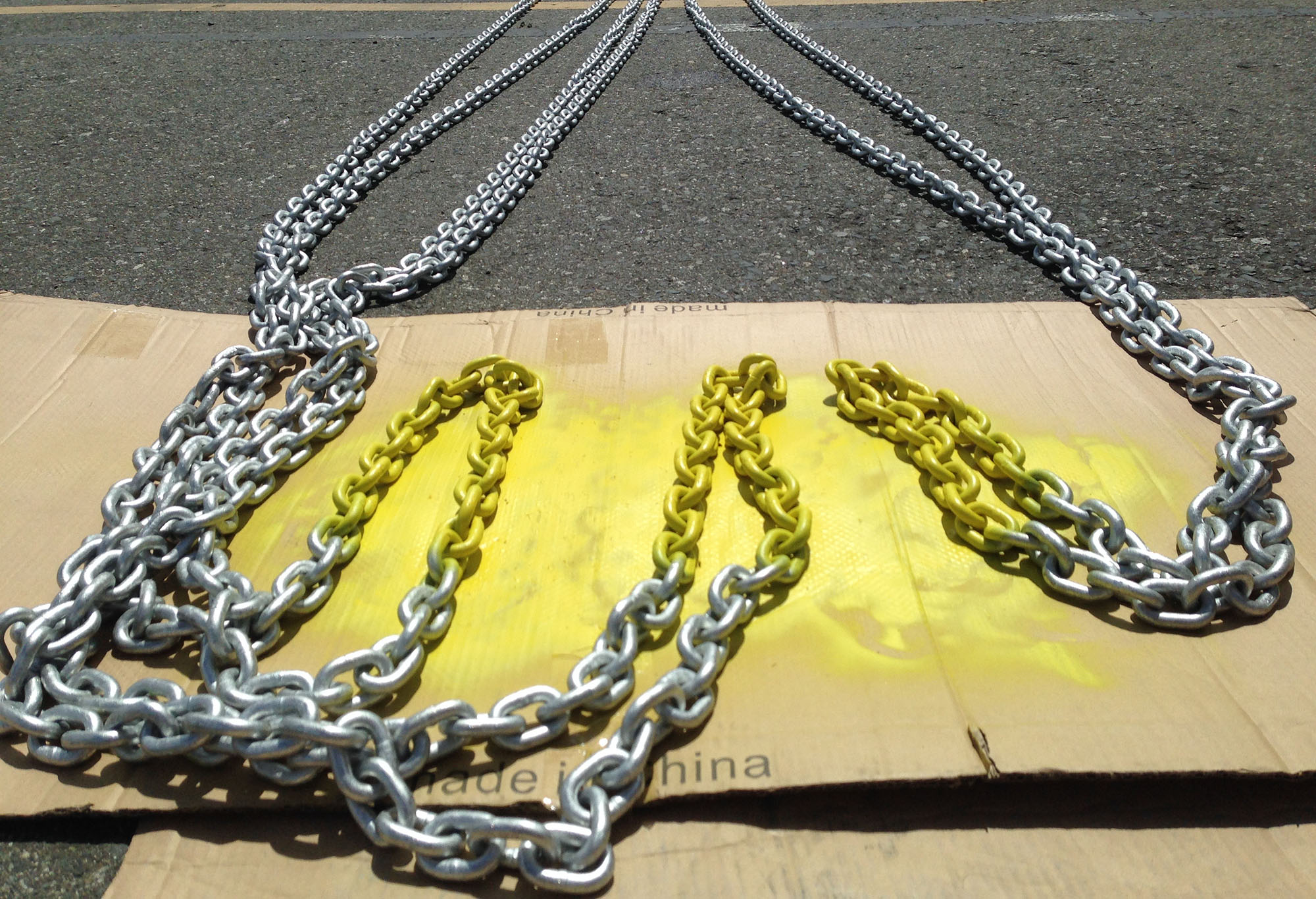
Shiny new chain!
Ongoing ownership costs include:
- zincs
- cleaning materials
- bottom paint
- polish & cleaning
- winterization
- outboard maintenance
- oil changes
- fire extinguisher recertifications
- propane tank recertifications
I’m not going to dig up all the figures but none of these items (except for the %^&$# motor mounts and associated costs) were more than several of hundreds of dollars—and it has been divided over 5 years.
Oh and the windlass. The windlass was just replaced and I don’t have the final bills yet although the estimates had that pretty price—close to a couple of boat bucks (~$2000). What sucks about that is it worked perfectly fine but since Simpson Lawrence has gone out of business, we couldn’t source any seals (we tried for almost 2 years) and it was leaking a ton of water into the forward compartment. So we bit the bullet and replaced it.
All in all, a pretty short list considering the tropes of boat ownership are BOAT: bust out another thousand (dollars) or Cruising: the experience of fixing your boat in exotic places. We definitely lucked out in our choice of vessels—especially considering our naiveté in boat buying matters.
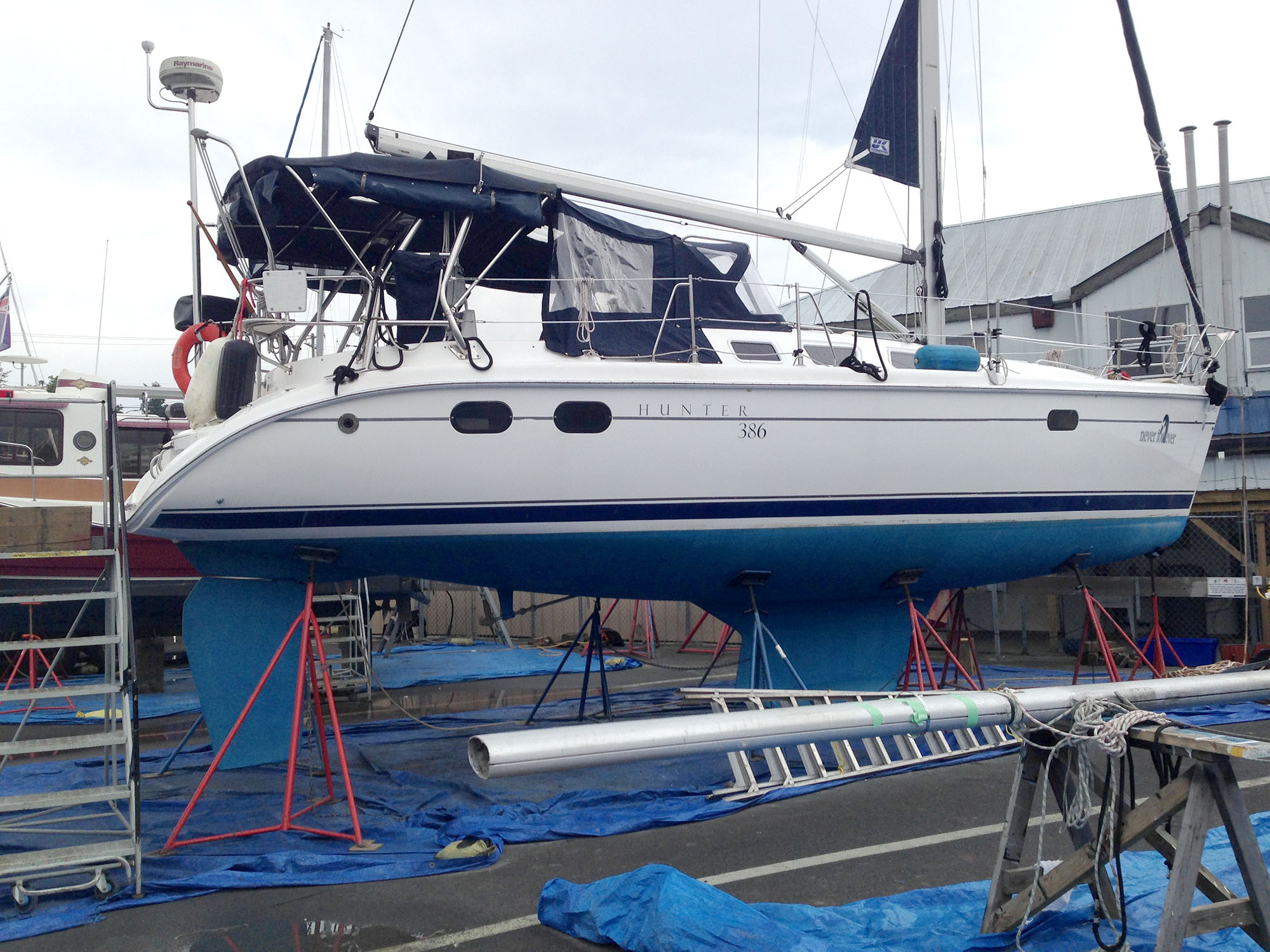
Up on the hard while the motor mounts are repaired
Summary
We’ve spent a lot…a lot… less than I had anticipated over the last 5 years.
The charter option has worked out for us. Being a 2003, the boat already had its maiden dings and dents far in the past and no charterer has inflicted any damage that wouldn’t be accounted for under the heading of normal wear and tear. NYCSS has done an outstanding job in the guardianship department with annual (or more frequent) haul outs, polishing and even a bit of varnishing here and there and making sure everything worked in tip top shape.
With this arrangement we’ve done darn good — even made ~$100 last year — and, excepting the year I backed over the tender’s painter and broke the motor mounts, our annual cost of ownership has been around one to two thousand dollars. That includes moorage, repairs, maintenance, guardianship and insurance. And we’ve been able to sail anywhere from 27–67 days a year. It may not be for everyone and certainly you can’t have the same kind of pride-of-ownership, but having Never for Ever in charter was the right decision for us. I doubt we would have sailed even a quarter as much if we’d sold her and had to charter ourselves.

As much as we love her, Laughing Baby’s days are numbered.
So as it stands, after 5 years, Never for Ever is pretty good condition still—excellent even. According to periodic checks of Yachtworld, she would likely sell for near what we paid for her. There is a bunch more wear on the sails and we are currently in the market for a new tender so there are still a few things to keep our eyes on. The enclosure canvas is still good but the side panels might need new clears soon, although as they are taken up and down so often they would just get scratched again. Other than that she is still a fairly turn-key vessel with no other major expenses in the foreseeable future—which is a good thing because with Covid-19 and decreased charter revenue, our ownership costs this year are likely to skyrocket, and, what is much worse in my eyes, with potential zero usage by us.
So It’s been a grand 5 years. And I look forward to a whole bunch more and maybe, hopefully, we can get back out and live aboard again for another year — or maybe even longer.
(Disclaimer: as previously noted somewhere in this blog, I am a notorious rounder of figures. The above was just meant to say that overall the cost of owning this particular boat has been pretty affordable. Your milage is definitely going to vary.)
—Bruce #Purchasing
Instagram This Week


#handmade #giftcards #silkscreen #mushrooms @theflora_faunaproject


#screenprinting #mushrooms
Flask Part Deux
A continuation of The Great Flask Adventure.
The structure
When last we left our heroes we had posted a groovy python script: Mark III. This was saved as yacht_app.py in a folder. The rest of the files were built and also stored there. The structure of the folders is thus:
[searchyachtworld]
—yacht_app.py
—[output]
——boatlist.json (a file generated by the app)
—[static]
——
———style.css
——[images]
———artboard.png
—[templates]
——index.html
——results.html
——template.html
Back to the app
The app/python file consists of several parts which mostly consist of mini scripts to render results to a specific template. The simplest is:
@app.route("/")
def home():
    return render_template("index.html")
This simply displays the “index.html file which is a basic form. The next is:
@app.route('/results')
def results():
    data = []
    with open("output/boatlist.json", "r") as jdata:
        data = json.load(jdata)
    return render_template("results.html", boatlist=data['boats'],predata=data['fileinfo'])
This defines “results.html,” basically calling for it to open using the boatlist.json file as its data.
The next one is “index.html” after the search button is clicked and it uses a form post request to gather the input data an executes the rest of the python script using that data. I am not going to get into that as it’s just a variation of the Book Page scraping.
I did add a bit at the end that reopens the output json file and uses the submitted search parameter to reorder it before moving on to the results page.
@app.route("/", methods=['POST'])
def echo():
    #get index form data
    if request.method == "POST":
        inputcurr=request.form["inputcurr"]
        minprice=request.form["minprice"]
        maxprice=request.form["maxprice"]
        minlength=request.form["minlength"]
...
    data = []
    with open("output/boatlist.json", "r") as jdata:
        data = json.load(jdata)
        data['boats'].sort(key=keyparam)
    return render_template('results.html', boatlist=data['boats'],predata=data['fileinfo'])
Back to the HTML
Flask uses the template.html file to set all the default elements (header, navbar, styles sheets etc.)
I won’t bother with the code for the index page, but here is the results which is pretty simple. Basically extracting the header information form the “predata” section of the json and then a loop though the “boatlist” to display each boat.
<!DOCTYPE html>
<html lang="en">
<head>
    <title>Yachtworld Results</title>
</head>

<body>
{% extends "template.html" %}
{% set active_page = "results" %}
{% block content %}
<div class="page-header">
    <h2 class="orange">YachtWorld Results</h2>
    <div id="preface">
        {% for pb in predata %}
    <div>
        <p>{{pb.Text}}<br/>Updated: {{pb.Date}}
        <br/><a href="{{pb.Creator}}">created by {{pb.Creator}}</a></p>
        <p>Price range : <strong>${{pb.Low}} </strong> and <strong>${{pb.High}}</strong> (${{pb.Currency}})<br/>
        Boat length: <strong>{{pb.Short}}'</strong> – <strong>{{pb.Long}}'</strong></p>
    </div>
    {% endfor %}
    </div>
    {% for boat in boatlist %}
    <div class="col-xs-6" style="min-height:170px;">
        <div class="col-md-5 text-right ">
            <img src="{{boat.Thumb}}" alt="" width="150px">
        </div>
        <div class="col-md-7">
            <h3><a href="{{boat.URL}}">{{boat.Name}}</a></h3>
            <p><strong>${{boat.Price}} </strong> / {{boat.Size}}</br>
            {{boat.Location}}</p>
        </div>
    </div>
    {% endfor %}

{% endblock %}
</body>
</html>
Pretty simple really…lol.
In conclusion
Anyway I don’t suspect anyone will actually understand/get much out of all this and its here mostly for posterity. There are plenty of resources online to help dig into the code.
I am still playing with it and it will continue to evolve. I did post it on github if anyone is interested in the latest version (I have already added in some bits to handle price errors). I am still searching for host to make it publicly available but anyone can download it from Github if they want to run it on their own server.
Instagram This Week



#screenprinting #fail #stupidvirus
The Great Flask Adventure
I just published a blog post over on neverforever.ca about trying to build a web app to scrape YachtWorld. I thought I would record the details here so I can remember what I have done. The complete (and updated) repository is on github if anyone is interested.
Why?
Some time in the recent past YachtWorld decided to redo their website. And one of the outcomes of that is that you can no longer search for boats in multiple places at the same time and, I now had to perform three separate searches with no way to “save” a previous search and be able to compare. I figured I could adapt my newfound python skills and scrape the site and deliver output to the website.
Mark I
I copied my previous efforts and produced a python script that produced a markdown file to view on a webbrowser.
Mark II
I decided to output a JSON file instead and then build a php page to read it using JQUERY and Javascript. The json format had two dict, one for general info and one for boat listings:
{
"fileinfo": [
{
"Date": "April 03, 2020 08:46",
"Text": "Results are a Yachtworld search of sailboats in Washington, Oregon and B.C.",
"Currency": "CAD",
"Low": "30000",
"High": "120000",
"Short": "34",
"Long": "48",
"Creator": "http://neverforever.ca"
}
],
"boats": [
{
"URL": "https://www.yachtworld.com/boats/1980/cheoy-lee-clipper-42-ketch-3577567/",
"Name": "Cheoy Lee Clipper 42 Ketch",
"Price": "80,000",
"Size": "42 ft / 1980",
"Location": "Vancouver, British Columbia, Canada",
"Thumb": "https://newimages.yachtworld.com/resize/1/16/77/7191677_20190822081237806_1_LARGE.jpg?f=/1/16/77/7191677_20190822081237806_1_LARGE.jpg&w=520&h=346&t=1566486758"
}
]
Then I used javascript to retrieve the data and loop through “boats” to display the html code.
/*Retrieve Listings*/
var data;

jQuery.get("boatlist.json", function(d) {
data = d;

/*numeric (price) sort
var datab = data.boats.sort(function(a, b) {return parseFloat(a.Price.replace(/,/g, '')) - parseFloat(b.Price.replace(/,/g, ''))});
*/

/*text (length) sort*/
var datab = data.boats.sort(function(a, b){
var x = a.Size.toLowerCase();
var y = b.Size.toLowerCase();
if (x < y) {return -1;}
if (x > y) {return 1;}
return 0;
});

// loop through all boats
datab.forEach(function(bb) {
// now put each boat in a <div>
$("#boats").append(`
<div class="col-xs-6" style="min-height:170px;">
<div class="col-md-5 text-right ">
<img src="${bb.Thumb}" alt="" width="150px">
</div>
<div class="col-md-7">
<h3><a href="${bb.URL}">${bb.Name}</a></h3>
<p><strong>\$${bb.Price} </strong> \/ ${bb.Size}</br>
${bb.Location}</p>
</div>
</div>
`);
});
});
It worked pretty good but relied on me running the python script each time. After a bit of investigation I decided to turn to Flask to see if I could host it all on a website. Since the Calibre-Web site that I was scraping for my Books Read project ran on Flask I knew it could be done.
Mark III
So here is the script I finally ended up with
from flask import Flask, render_template, request, jsonify
import json
app = Flask(__name__)
@app.route("/")
def home():
return render_template("index.html")
@app.route('/results')
def results():
data = []
with open("output/boatlist.json", "r") as jdata:
data = json.load(jdata)
return render_template("results.html", boatlist=data['boats'],predata=data['fileinfo'])
@app.route("/", methods=['POST'])
def echo():
#get index form data
if request.method == "POST":
inputcurr=request.form["inputcurr"]
minprice=request.form["minprice"]
maxprice=request.form["maxprice"]
minlength=request.form["minlength"]
maxlength=request.form["maxlength"]
texta= minlength + "–" + maxlength +"ft\n" + inputcurr +": $" +minprice + "-" + maxprice
textb= minlength + "–" + maxlength +"ft<br/>" + inputcurr +": $" +minprice + "-" + maxprice
# build sort param ie data['boats'].sort(key=lambda s: s['Location'])
sortparam=request.form["inputsearch"]
if sortparam == 'Location':
keyparam = lambda s: s['Location']
elif sortparam == 'Price':
keyparam = lambda s: int(s['Price'].replace(',', ''))
elif sortparam == 'Size':
keyparam = lambda s: s['Size']
# import various libraries
import requests
from bs4 import BeautifulSoup
import re
#enable math.ceil
import math
# enable sys.exit()
import sys
import csv
import json
from datetime import datetime
import os
# set header to avoid being labeled a bot
headers = {
'user-agent': 'Mozilla/5.0 (X11; Linux x86_64) AppleWebKit/537.36 (KHTML, like Gecko) Chrome/67.0.3396.99 Safari/537.36'
}
# set base url
baseurl='https://www.yachtworld.com/boats-for-sale/type-sail/region-northamerica/'
# input low number
if minprice == '':
minpricenum = '30000'
else:
minpricenum = minprice
print(minpricenum)
# input high number
if maxprice == '':
maxpricenum = '120000'
else:
maxpricenum = maxprice
print(maxpricenum)
# input currency
if inputcurr == '':
curr = 'CAD'
else:
curr = inputcurr
print(curr)
# input low length
if minlength == '':
lowlen = '34'
else:
lowlen = minlength
print(lowlen)
# input high length
if maxlength == '':
highlen = '48'
else:
highlen = maxlength
print(highlen)
# set variables
pricerange = '&price=' + minpricenum + '-' + maxpricenum
wash = 'country-united-states/state-washington/'
oreg = 'country-united-states/state-oregon/'
bc = 'country-canada/province-british-columbia/'
currlen = '?currency=' + curr + '&length=' + lowlen + '-' + highlen
# create list of url variables
urllist=[bc,wash,oreg]
#check to see if external drive is mounted and mount it
#if os.path.ismount("/Volumes/www/") == False:
# print ("False monkey")
# os.system("open smb://admin:Sally1@Mini%20Media%20Server._smb._tcp.local/www")
# set path to export as file
path_folder="output/"
# set date and time
now = datetime.now()
dt_string = now.strftime("%B %d, %Y %H:%M")
# create empty list
arrayjson = []
#loop though pages in urllist
for page in urllist:
# get url
urlpath = baseurl+page+currlen+pricerange
page = requests.get(urlpath, timeout=5)
boatpg = BeautifulSoup(page.content, "html.parser")
# find boat listings section
boatlist = boatpg.find('div', class_="search-right-col")
#find single boat listing
boatlisting = boatlist.find_all('a')
#loop though listing and append to list
for listname in boatlisting:
nameurl = listname['href']
thumb = listname.find("meta", property="image")
#add https and find content of meta and substring url to remove first two characters
thumburl="https://" + thumb["content"][2:]
name = listname.find('div', property="name")
priceraw = listname.find('div', class_="price")
#remove extra info from front and back
price = re.search("\$.*? (?= *)",priceraw.text)
cost = price.group()[1:-1]
sizeyear = listname.find('div', class_="listing-card-length-year")
location = listname.find('div', class_="listing-card-location")
#write to json format
writejson = {
"URL": nameurl,
"Name": name.text,
"Price": cost,
"Size": sizeyear.text,
"Location":location.text,
"Thumb": thumburl
}
# append to list
arrayjson.append(writejson)
#add Preface list (array)
arraypreface = []
preface = {
'Date': dt_string,
'Text': 'Results are a Yachtworld search of sailboats in Washington, Oregon and B.C.',
'Currency': curr,
'Low': minpricenum,
'High': maxpricenum,
'Short':lowlen,
'Long': highlen,
'Creator': 'http://neverforever.ca'
}
#append to list
arraypreface.append(preface)
# open json file with path
with open(path_folder+'boatlist.json', 'w') as outfile:
#dump two lists with dict names and add formatting (default=str solves date issue)
json.dump({'fileinfo': arraypreface, 'boats': arrayjson}, outfile, indent=4, default=str)
data = []
with open("output/boatlist.json", "r") as jdata:
data = json.load(jdata)
data['boats'].sort(key=keyparam)
return render_template('results.html', boatlist=data['boats'],predata=data['fileinfo'])
Continued: Flask Part Deux…
If you can’t boat, dream…
As is almost everyone in the world right now, we are stuck and are having difficulty even imaging getting out on the boat in the foreseeable future. So to amuse myself I have been looking online for that future “forever” boat.
Who am I kidding; I am always looking online at boats. But what I have done is work on a project that fixes an annoyance of mine.

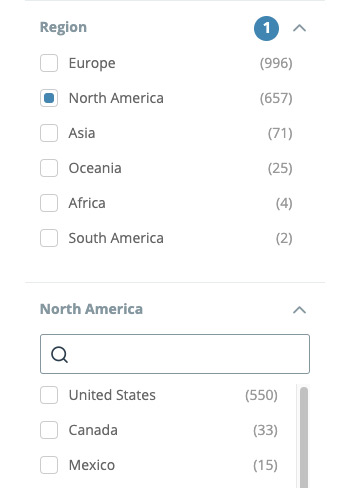 Some time in the recent past YachtWorld, which is the de facto standard for listing boats, decided to redo their website. And one of the outcomes of that is that you can no longer search for boats in multiple places at the same time. And seeing how I desire to buy a boat in the PNW (which used to be a selectable search category) and the PNW ostensibly includes British Columbia, Washington state and Oregon, I now had to perform three separate searches with no way to “save” a previous search and be able to compare. A definite downgrade if you ask me.
I had recently started to learn how to scrape websites using python because I wanted to be able to post a “books read” page on my personal site. Web scraping is a method of visiting a site and stripping the data from it. It occurred to me that I could apply the same procedure to YachtWorld and retrieve and aggregate all three searches to one output. So off I went.
Building
 My initial method was to build a python script that output the data to a php web page. After a lot of trial and error it worked. But this meant every time I wanted to do a new search I would have to run the terminal command again and enter in the price range (which were the only variables I included). This produced a database file which the php page could then display. This was pretty onerous, particularly because I kept forgetting the proper commands :-). I also held out some hope that eventually I could share this with other people. There had to be a better way.
So I investigated further and discovered Flask, which is—simplistically put—a way to turn a python script into a web app. After a lot of fiddling (which I will detail soon over at macblaze.ca) I came up with this:
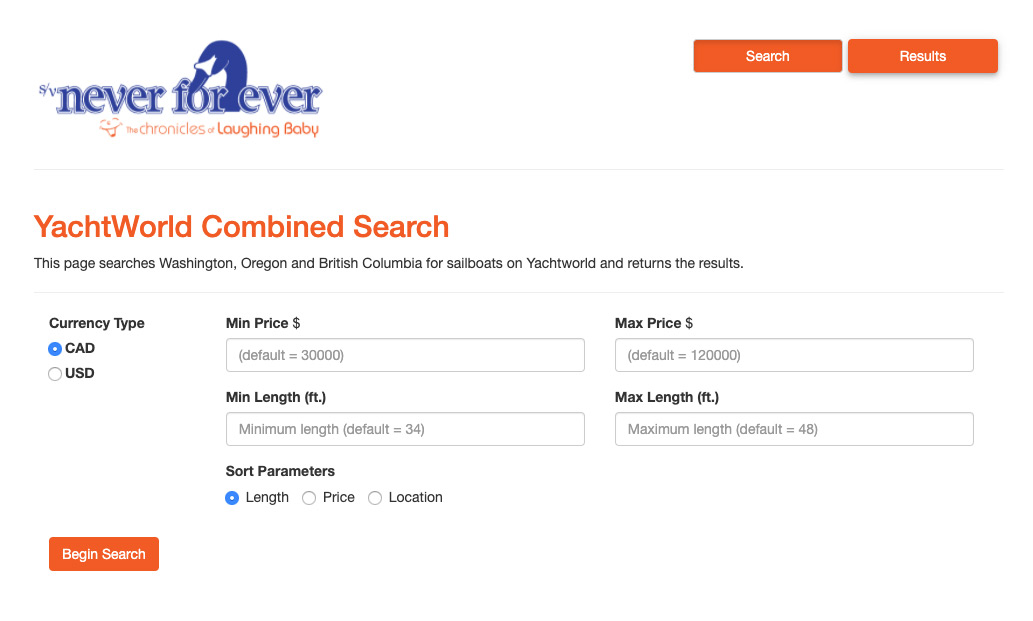
The new version added the options for Canadian vs. U.S. currency and length and the ability to sort the results. It is all one compact, self-contained unit and works 100% from a web browser. The search returns most of the details of the boats and links back to the official YachtWorld result so you can dive deeper into any particular boat. If you ask me it turned out pretty good.

A qualified success.
Deployment
I am stuck now though. It currently runs on my testing server and when I went looking to deploy it, discovered that my official web host doesn’t provide python support. I would either have to switch providers or get an additional (paid) account at another web host. I did find pythonanywhere.com, which offered free, albeit limited, python/flask hosting and was excited for the full hour it took to set up and get it running. You can find it here (http://btk.pythonanywhere.com/) but unfortunately the free accounts won’t let you scrape websites that don’t have official api’s (application programming interface)—which YachtWorld does, but it isn’t free so I don’t have access to it. So while the app is running it won’t actually deliver any results.
So now I am faced with the choice to either open up my testing server to the world (which I am not likely to do), change providers (and I just paid for the next couple of years) or sit on my little project and declare it for personal use only. I haven’t given up yet, but the prospects look dim.
So…
So here I sit, a vast distance from the boat and any prospect of cruising and a weeks worth of work sitting on a computer with no way to share. And I am now getting tired of running the search over and over again. Sigh.
Anyway, if any of you experience the same frustration with YachtWorld, I sympathize and want you to know that there is a way around it with a bit of time and even less knowledge—which is something we should all have in abundance right now.
—Bruce #Purchasing
Instagram This Week


Instagram This Week
Instagram This Week


#yeg #yegymca