Category: Computers
Python in Ebook Production
The following is a blog post I originally wrote on behalf of Orca Book Publishers for the APLN (Accessible Publishing Learning Network) website. I had done a brief online Q&A on behalf of eBound talking about our Benetech certification and there were questions about my python workflow. So I tried to write it out, which was a good exercise in and of itself.
In 2022 Orca Book Publishers had a dozen accessible titles that had been remediated via programs with BooksBC and eBound as well as another group that had been created as mostly accessible epubs by outsourced ebook developers. When Orca made a commitment to creating accessibility ebooks the immediate goal was to pursue Benetech Certification with an eye to adopting a born accessible workflow and to start remediating backlist titles.
Orca has three main streams of books from an epub point of view: highly illustrated non-fiction, fiction with few or no images, and picture books. We started by remediating the fiction titles that were already mostly accessible and bringing them up to Benetech standards.
Concurrently we brought the non-fiction production in-house to begin to develop a functional accessible workflow. Non-fiction titles usually feature 80 plus illustrations and photographs, multiple sidebars, a glossary, index, and a bibliography.
In publishing circles a fair amount of time is spent bemoaning the shortcomings of InDesign as a platform for creating good epubs, let alone making accessible ones. With a complex design, you can spend a lot of time and effort prepping an InDesign file to export a “well-formed” file and still end up with a “messy” end result. Instead, Orca’s approach was to ignore InDesign as much as possible, export the bare necessities (styles, ToC, page markers etc.), clean out the junk in the epub it produces using a series of scripted search and replaces, and then rely on post-processing to produce well-formed, accessible epub in a more efficient manner.
To that end we started building two things: a comprehensive standard structure and its accompanying documentation for an Orca ebook, and a series of python scripts to apply that structure to epubs. These scripts needed to be robust enough to work with both new books and to remediate older titles that spanned everything from old epub2’s to mostly-accessible titles that didn’t quite meet Benetech standards.
Python in Epub production
Python was the obvious choice for these tasks. Python is a programming language suited for text and data manipulation that is highly extensible, with thousands of external libraries available, and has a focus on readability. It comes already installed with Mac OSX and is easily added to both Windows and Linux.
Python is easy to learn and fairly easy to use. You can simply write a python script in a text file e.g.:
print('Enter your name:')
name = input()
print('Hello, ' + name)
Then save it as script.py and run it using a python interpreter. As a general rule writing and running python scripts from within an IDE (integrated development environment) like Visual Studio Code, a free IDE created and maintained by Microsoft, makes this pretty simple. Using VS Code allows a developer to easily modify scripts and then run them from within the same application.
Regular Expressions
The other important part of the process and well worth learning as much as they can about — even if they don’t dive into python — is regular expressions (regex). This a system of patterns of that allow you to search and replace highly complex strings.
For instance if you wanted to replace all the <p>’s in a glossary with <li>’s:
<p class="glossary"><b>regular Expression</b>: is a sequence of characters that specifies a match pattern in text.</p>
You could search for:
<p class="glossary">(.*?)</p>
where the bits in parentheses are wildcards…and replace it with:
<li class="glossary">\1</li>.
For each occurrence found, the bit in the parentheses would be stored and then reinserted correctly in the new string.
Once you start to use regexes you’ll quickly get addicted to the power and flexibility and quite a few text editors (even InDesign via grep) support regular expressions.
Scripting Python
With these two tools you can write a fairly basic script that opens a folder (an uncompressed epub) and loops through to find a file named glossary.xhtml and replace the <p class="glossary"> tag and replace it with a <li> — or whatever else you might need. You can add more regexes to change the <title> to <title>Glossary</title>, add in the proper section epub:type’s and roles and more. Since InDesign tends to export fairly regular epub code once you clean out the junk, if you create a standard set of styles, it means you can easily clean and revise the whole file in a few key strokes.
Taking that one step further, if you ensure that the individual files in an epub are named according to their function e.g about-the-author.xhtml, copyright.xhtml, dedication.xhtml etc. you can easily have custom lists of search/replaces that are specific to each file, ensuring things like applying epub:types and aria-roles is done automatically or you could edit or change existing text with new standardized text in things like the .opf file.
If you build basic functions to perform search and replaces, then you can continually update and revise the list of things you want it to fix as you discover both InDesign and your designer’s quirks, things like moving spaces outside of spans or restructuring the headers. If you can conceptualize what you want to do, you can build a regex to do it and just add it to the list.
You can also build multiple scripts for different stages of the process or expand into automating other common tasks. For instance the Orca toolset currently has the following scripts:
- clean_indesign (cleans all the crud out and tidies up some basic structures),
- clean_epub (which replaces all the headers, adds a digital rights file, rewrites the opf file to our standard, standardizes the ToC and landmarks and more…),
- alt-text-extract (extracts image names, alt text and figcaptions to an excel spreadsheet),
- update_alt text (loads an excel spreadsheet that has alt text and, based on image file names, inserts it into the proper
<img alt=""), - run_glossary (which searches the glossary.xhtml and creates links to the glossed words in the text),
- extract_metadata (which loops through all the epubs in a folder and pulls the specified metadata e.g. pub date, modified date, a11y metadata, rights etc.),
- extract_cover _alt (loops through a folder of epubs and extracts the cover alt text into a excel spreadsheet),
- increment_pagenumber (some of our older epubs were made from pdfs that had different page numbering from the printed book, so this script goes through and bumps them by a specified increment)
You can see the InDesign cleaning script here: github.com/b-t-k/epub-python-scripts as a basic example. As we continue to clean up and modify the rest they will slowly be added to the repository.
Documentation
Concurrently to all this Orca maintains and continually revises a set of documents that records all the code and standards we have decided on. It is kept in a series of text files that automatically update a local website and it contains everything from the css solutions we use to specific lists of how ToC’s are presented, our standard schema, how we deal with long descriptions, lists of epub-types and aria roles and a record of pretty much any decision that is made regarding how Orca builds epubs. Because website is searchable, a quick search easily finds the answer to most questions.
Our Books
This type of automation has allowed us to produce accessible non-fiction titles in-house and in a reasonable time framework. Books like Open Science or Get Out and Vote! can be produced in a Benetech certifiable epub in just a few days even though they feature things like indexes, linked glossaries, long descriptions for charts and a lot of alt text that was written after the fact.
Producing an Accessible epub
Orca’s production process has been continually evolving. We started by focussing on making accessible non-fiction epubs without alt text, and then brought alt text into the mix after about 9 months (two seasons)—the scripts meant it was easy to go back and update those titles after alt text was created. Meanwhile we pursued Benetech certification for our fiction titles that were produced out-of-house and developed a QA process to ensure compliance. And just recently we have brought fiction production in-house as well.
At this point, as soon as the files have been sent to the printer, the InDesign files are handed over to produce the epub. Increasingly before this stage, the alt text is produced and entered in a spreadsheet. Then this is merged into the completed epub. A “first draft” is produced and run through Pagina’s EPUBCheck and Ace by DAISY to ensure compliance. Then, along with a fresh export of the alt text in a separate excel file, it is sent over to our production editor who has a checklist of code elements to work through using BBEdit, and then he views the files in Thorium and Apple Books, and occasionally Colibrio’s excellent online Vanilla Reader, checking styles, hierarchy, visual presentation and listening to the alt text.
Changes come back and usually within one or two rounds it is declared finished and passed on to the distribution pipeline. There our Data Specialist does one last check of the metadata ensuring it matches the onix files and reruns EPUBCheck and ACE before sending it out.
Spreading the load
In the background we have marketing and sales staff working on spreadsheets of all our backlist, writing and proofing alt text for the covers and interior illustration of the fiction books so it is ready to go as titles are remediated. The hope is to incorporate this cover alt text into all of our marketing materials and websites as the work is completed.
The editors meanwhile are just starting to incorporate character styles in Word (especially in specifying things like languages and italics vs. emphasis) and working with authors to build in alt text creation alongside the existing caption-writing process.
The designers are slowly incorporating standardized character and paragraph styles into their design files and changing how they structure their documents to facilitate epub exports. They are also working with the illustrators to collect and preserve their illustration notes in order to help capture the intent of illustrations so those notes can be used as a basis for alt text. They are also working to document cover discussion as a way to help facilitate more interesting and accurate cover alt text.
It will take a few more years but eventually the whole process for producing born accessible, reflowable epubs should be fully in place.
The Future
Smart lights
…And Home Assistant
So last year I bought a couple of smart lights to play around with. I ended up installing Home Assistant in a docker on my pi (the pi400) to control them.
I have an Office light and TV room light.
- The TV light turns on 1/2 hour before sunset and off at 10:10 pm everyday.
- The Office turns on 1/2 hour before sunset then fades to a calm colour at 7 pm, turning off completely at 10:10pm.
- In the morning the Office light turns on at 7 am and the off 1/2 hour after sunset.
But I want the office light to not turn on/off in the morning when the days are long so I had to write some YAML code which I’ve had to revise several times.
This is a trigger to fire my office light (in the morning) between September 25 and May 15. It still may not be working right, but so far so good.
Edit YAML mode:
condition: template
value_template: >
  {% set n = now() %} {{ n.month == 9 and n.day >= 25 or n.month > 9
         or n.month == 5 and n.day <= 15 or n.month < 5 }}
https://community.home-assistant.io/t/automation-during-date-range/133814/50
Platypus?
Calibre webscraping app
My python script to run my web update can be made into an app using platypus.
Settings: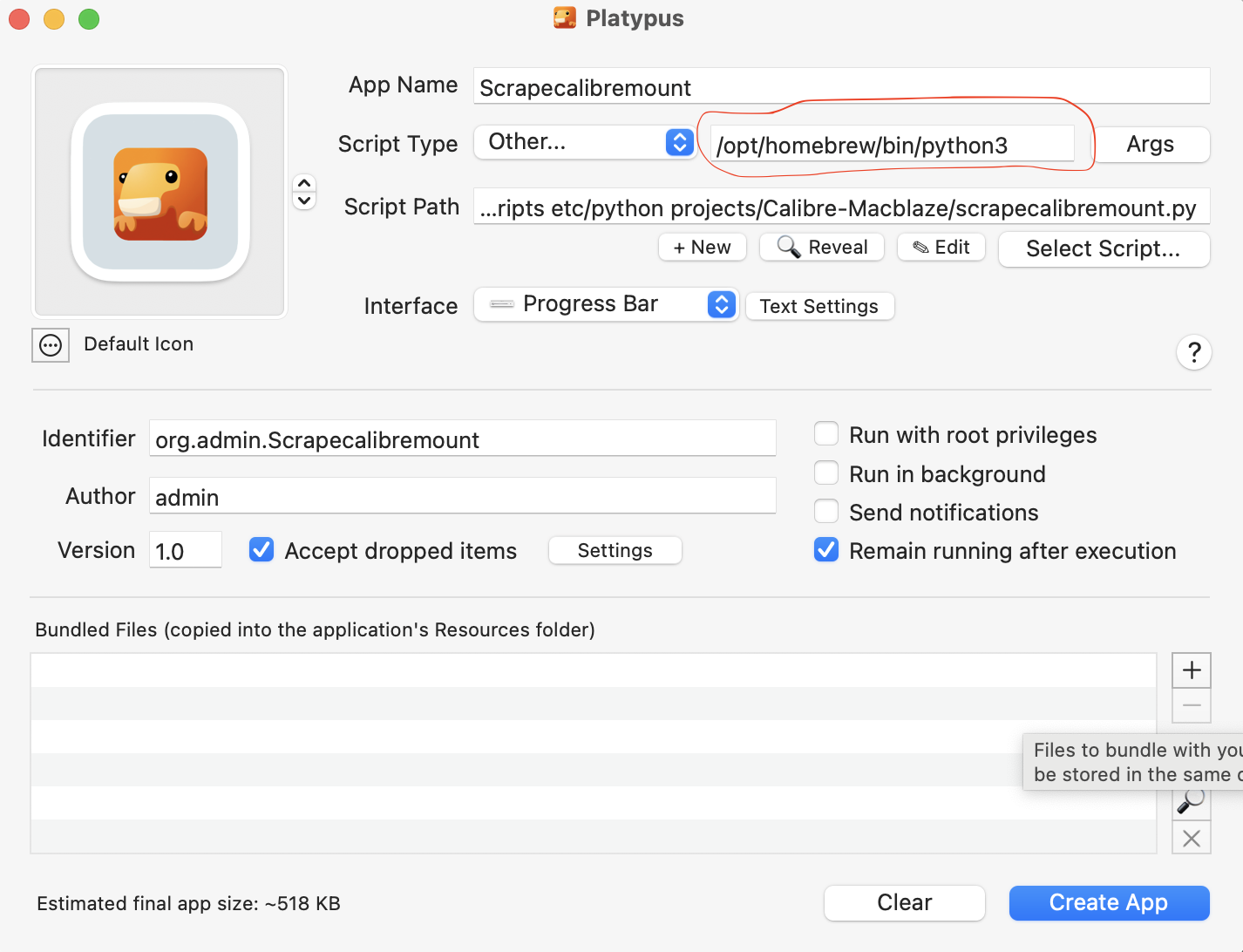
Daddy’s got a brand new toy

On my recent work stint to Victoria it became apparent that my 13″ Macbook Pro (early 2015) was getting a bit long in the tooth. Surprisingly it still did everything I wanted it to, but it was a bit sluggish on the more data intensive tasks and the battery life was moderate. The nail in the coffin was my own bad habits—I like to open too many programs at once when doing ebook development. Typically I might have Photoshop, Word, Excel, Sigil, BBEdit, IA Writer, Preview, Calendar, Mail, NewsNetWire, iTunes and be popping in and out of InDesign and Visual Studio Code. It was just a bit too much for my poor old Macbook’s 2.9GHz Dual-Core intel i5 with 8 GM of memory and work slowed down noticeably.
And since I had been offered a work machine when I started at Orca I thought it might be time to take advantage of the deal. A few conversations later and I order this new beauty. Now this new machine is way over-powered for what I actually need it to do work-wise but since I got almost 8 years out of my old one I figured to go big and focus on longevity over price. I did have to top up the fund because the company wasn’t that generous, but we worked out a more-than-fair deal.

Downsides
Of course every cloud has its tarnished lining … or whatever that saying is… In this case it is USB C ports and peripherals. One of the reasons to go with the Macbook Pro is that it at least comes with 3 thunderbolt (USB C) ports and a HDMI port. The Air’s only come with 2 ports… period. But as it stands I currently have 4 external HDs, cables for my iPhone and ereader, a webcam, an external keyboard, and second monitor and ethernet—that’s 10 in total and I still need spare ports for plugging in extra SSDs etc. <y current setup has a generous 4 USB C ports and 2 USB A ports and I have two USB A hubs and I still don’t have enough sometimes 🙂
And since the new Macbook supports USB 3.2 (with a super speedy 10 GB/S) I might as well take advantage of it and at least get the externals’ file transfer rates up to max speeds. So it means a new hub and a bunch of new dongles… But the choices seem pretty thin. Oh well… who doesn’t like researching tech on the web?
But… but… the Mac Mini?
Those of you who follow along (lol) will know I just bought a new computer (“just bought” being a relative thing) back in Nov. 2020. It was (is) a Mac mini (2018) 3.2 GHz 6-core Intel i7 with 16 Gb of RAM. The issue now is how do I divide the workload? I can’t see working on the slower computer when the new M2 chips are supposed to be so screaming fast. And switching from one machine to another is a bit of a pain (although I highly recommend Barrier as a virtual KVM).
It worked ok with the mini and two monitors being my main machine and using Barrier to control the old laptop, but if I want to use the monitors with the. laptop (and I do…) then the mini either becomes a remote machine (which sucks for anything other than the most basic of tasks) or I need to invest in a real KVM so I can switch monitors as well.
And I don’t really need it as a media server although I suppose I could retire my old Mini (mid-2011). Decisions… decisions…
But regardless I happily await the arrival of my new machine and the hours of setting up and settling in to get it just right
An Anniversary of sorts
My first blog post ever was over at: moreblaze.blogspot.com. That’s exactly 20 years ago. The 20-year anniversary for macblaze.ca has to wait until 2025. L has since taken over the original platform after I decided I wanted to host my own blog and not have to rely on external services—an unwarranted bit of paranoia as it turns out.
SATURDAY, NOVEMBER 29, 2002
Hi
Welcome to the Blog…
Hopefully this will house the daily diaries of (B)ruce (L)eslie (A)nd (Z)ak’s (E)lectronic (BLAZE) lives. Come back and visit whenever…—https://moreblaze.blogspot.com/2002/11/hi-welcome-to-blog.html
My last post there was this:https://moreblaze.blogspot.com/2005/11/blog-abandonment.html (https://moreblaze.blogspot.com/2005/11/), I might go back and export all my posts from there and add them in here…for posterity and unity’s sake. And because…why not…?
Markdown & a Pi update
Because I know you care…
Previous updates: December 2021: An Introduction To Dashboards; October 2021: Pi Update; August 2021: What’s Your Pi Doing?
So what’s up with markdown?
Way back in December 2014 (Markdown) I came across this simple markup language called Markdown. Since I wrote in text editors anyway (Word makes me crazy!) it seemed like a good way to add some simple formatting. Fast forward 8 years or so and I am still using it and use it almost exclusively for note-taking and recording (for posterity) things I am doing. (I’ve got a cheat sheet posted for those who are more interested.
These days all my computer set-up and install notes are in Markdown, my yearly books read, and lately, all my ebook and accessibility research have been written in Markdown.
A few weeks back I had one of those “I wonder if…” thoughts and it transformed my world. You perceive, I had a lot of notes and note files going by now and it was getting worse and worse everyday… since I am basically being paid these days to make notes about ebooks and accessibility and I like to give my money’s worth. Frankly it was becoming a big mess of files, folders and disorganized gibberish.
I wondered if there is a way to render all those markdown notes on a simple website? I’ve done it with my notes on GitHub for Standard eBooks but that is a fancy Jekyll installation. And I mean, half the time I am pasting markdown into this WordPress blog and the Jetpack plugin I installed renders it as html so it shouldn’t be that complicated …should it? But a separate WordPress install was just too unwieldy and frankly I have having to log in all the time since WordPress helpfully built in a timer to kick you out after a certain period of time… sigh.
So that disqualifies my first two choices. So time to do a bit of googlin’
Enter MkDocs
— MkDocs is a fast, simple and downright gorgeous static site generator that’s geared towards…
And is it ever. A quick docker install, a bit of reading about how to tweak the interface and voila! A clean, searchable interface that updates every time I hit save.
This:
Becomes this:
All organized, neat and tidy and most especially searchable. As you can imagine I am slowly making more and more sites and cleaning up a lot of old notes.
My world has been rocked.
What’s on the Pi these days?
I keep tweaking with things. I did pick up a Pi-400 as a machine to experiment on since I am trying to use the original Pi 4 as a production machine more and more.

A Pi-400 is a 4 GB Pi 4 in a keyboard case. For some reason they are actually available where as all the other Pi models are very hard to get.
The Dashboard Today

I’ve reorganized a bit but the essentials haven’t changed much. Notable new additions are VS Code Server, MeTube, Home Assistant and Snippet Box.
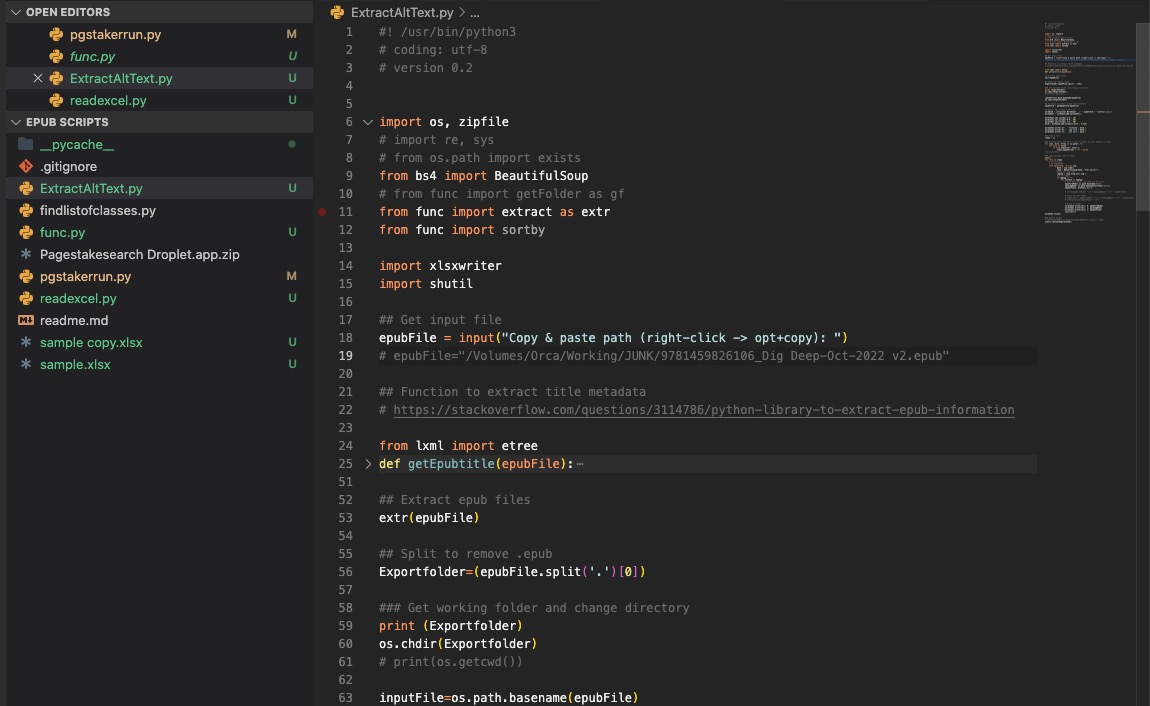
VS Code Server
VS Code Server is one of the code editors I use to write python. Having it on my Pi as a web-based version is occasionally helpful but it is most useful for editing yaml files and configs for the docker containers so I don’t have to mount the Pi as a drive etc.
MeTube
Is a fast and easy YouTube downloader. Paste in the URL and it downloads the video. Great for archiving favourite shows like Taskmaster.

Home Assistant
I bought my first smart bulb. And since I am a cheapo I didn’t buy the expensive Hue that works with Macs, I had to do some hacking to get Siri to recognize it. I will probably do a post later about that whole adventure, but suffice it to say I landed on Home Assistant — which is a missive open source home automation software package with a huge community. All to control one single bulb.
But hey it turns on and off everyday all by itself and even turns on earlier if it’s cloudy outside! W00t!

MkDocs
See above 🙂
Snippet Box
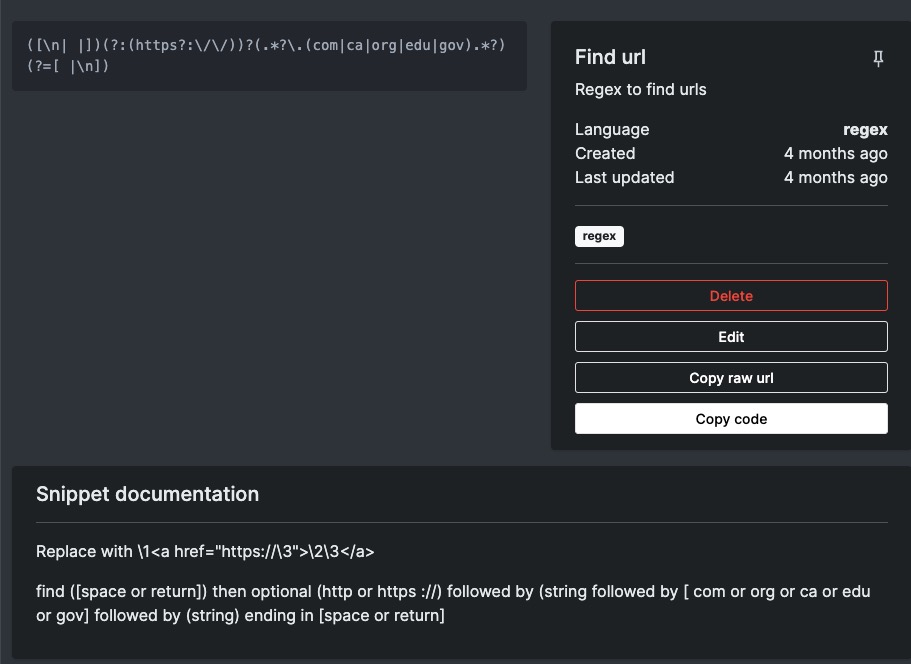
Snippet box may not be long for the (Pi) world… It’s a great app that allows you to store snippets of code that you use fairly frequently but always forget the specifics of.
I was using it to store regex’s but I have a feeling I will replace it with a MkDocs site. We will see I guess…
CSS Magic
I haven’t been keeping up on my css learning but I saw a new one the other day that is so applicable to text design. One can only hope that ebook reading systems will eventually support it. From https://www.youtube.com/watch?v=OGJvhpoE8b4
Often you want a different spacing between a H1 and H2 than you want between an H1 and paragraph. This is actually quite hard to do:
Title
Subtitle
This is the paragraph.
Title
This is the paragraph.
Using the :has selector you can say if the h1 class has (not) a subtitle them change the space after:
<h1 class="article-title">Title</h1>
    <h2 class="article-title">subtitle</h2>
    <p>Lorem ipsum baby.</p>

<h1 class="article-title">Title&</h1>
   <p>Lorem ipsum baby.</p>
.article-title{
  margin:0;

.article-subtitle{
  margin:0;
  margin-block-end: 3rem;
}

.article-title:not(:has(+ .article-subtitle)){
  margin-block-end: 3rem;
}
Magic Mouse
I finally am making a commitment for moving from an Apple Mouse:

to a Magic Mouse:

So far it isn’t as painful as last time I tried, but I have been banging my head against the crappy scroll speed. I finally found the setting:

System Preferences > Accessibility >Pointer Control > Mouse options. .. Stupid place for it.
Hopefully I will get used to it. Now I need to head over to Photoshop and InDesign for the real test.
Saturday’s Python Lesson
I have been dabbling more and more with Python. Python is a programming language (that, FWIW, comes pre-installed on a Mac) that is used by a lot of data scientists. As programming languages go it isn’t too hard to learn and is really versatile. One of the things that makes it so versatile is that it can use outside modules and libraries easily and there seems to be a module that will do just about anything you can want.
Why
A few years back I tried to convince L to use the import function built into Blackboard (MacEwan’s LMS [Learning Management System]) to import quiz questions and move from paper-based marking to a more automated workflow. It didn’t work, but in the process I did build a php module to build quizzes.
Then COVID happened.
But, no, before you jump to conclusions, I didn’t manage to convince her to use the bulk import even though she started to use the quiz modules to deliver and mark the quiz. Baby steps.
Then Moodle happened.
MacEwan is in the process of giving up on Blackboard and transitioning to Moodle — which is an open-source LMS. As it happens L has another, temporary, teaching gig at a different institution that also uses Moodle — this was a lot of additional work and learning, so she was starting to come around to the idea I might be able to help.
As a result, eventually, with great sighs and heaving shoulders, she gave in to my pestering and allowed me to upload one of her quizzes… and lo and behold she was impressed at the ease! Minus a few technical glitches.
My End
What I had done was use the format info from my previous php project. Then I used her docx file and by saving it as a text file I was able to do a few search and replaces via regex to create an upload compatible file. Blackboard wants files to look like:
TF  True or false? For Niklas Luhmann, the individual agent is not integral to society.   TRUE
MC  In the sentence "Maybe I got mine, but you'll all get yours.", what part of speech is "yours"?  pronoun CORRECT adjective   INCORRECT   preposition INCORRECT   noun    INCORRECT
Version One
…of my process was simply to build the regex. Luckily she used a pretty standard format to write the questions so I just had to find the pattern and use it to change it to the proper format.
TRUE/FALSE
True or false? For Niklas Luhmann, the individual agent is not integral to society.
True
FalsePRONOUNS
In the sentence “Maybe I got mine, but you’ll all get yours.”, what part of speech is “yours”?
pronoun
preposition
noun
adjective
Find:
(.*?)\n\n(.*?)\n(.*?)\n(.*?)\n(.*?)\n\n
Replace with:
MC\t\1\t\2\tCORRECT\t\3\tINCORRECT\t\4\tINCORRECT\t\5\tINCORRECT\n
In English this says find: anything (group1) followed by 2 line breaks followed by anything (group2) followed by 1 line break followed by anything (group3) followed by 1 line break followed by anything (group4) followed by 1 line break followed by anything (group5) followed by 2 line breaks
Replace it with: MC tab Group1 tab Group2 tab CORRECT tab Group3 tab INCORRECT tab Group4 tab INCORRECT tab Group5 tab INCORRECT line break
Easy, right? It was slightly different for the True/False questions as there was only two answers but followed the same principles.
Version Two
…added a python script that looked for the ALL CAPS and split the file into two separate files. At which point I also wrote in a search and replace of ‘’ and “” into ' and " since Blackboard didn’t like the special characters.
Version Three
…combined the original regexes with the python script and did it all in one pass. Success! I also added a randomization bit so she could leave the first Multiple Choice answer as the Correct one and the script would randomize them before upload.
Of course when I went to demo the speed and efficiency of my “wondrous creation” to L I forgot to convert the docx to a txt file and it failed. But I soldiered on, did the necessary step and then proceeded — but the “burning shame” of failure remained and so…
Version Four
…added a docx import module and that’s where I am now.
Given an Word docx file with sections delineated by titles in ALL CAPS, this script will divided it into several text files named after the sections, convert curly quotes , format the questions in Multiple Choice or True/False format, and randomize the MC answers.
The resulting files can be uploaded to Blackboard’s question pool for use in multiple quizzes. Of course now I have to do it all over agin for Moodle as it uses a completely different import format 🙂
# import necessary modules
import os
import random
import re

import pypandoc

# NOTE Sections must be in ALL CAPS. They must be named TRUE FALSE (or TRUE / FALSE)
# or else be in the Multiple Choice format.

# set directory to current path of python file
directory_path = os.path.dirname(__file__)

# get file name
print('Enter the filename (without.docx):')
filename = input()

# set docx file and output file
docxFilename = directory_path + "/" + filename + ".docx"
outputfilename = directory_path + "/" + filename + ".txt"

# use pandoc to convert docx to txt
output = pypandoc.convert_file(
    docxFilename, 'plain', outputfile=outputfilename,
    extra_args=['--wrap=preserve'])
assert output == ""

# Open the converted file
filecontents = open(
    directory_path + "/" + filename + ".txt", "r")

# Assigns the variable filecontents the contents of filename.txt, not just the location of the file
filecontents = str(filecontents.read())

# Finds all the ALL CAPS in the file and makes a list (section) of all the sections
sectionname = re.compile(
    r'\n(?=[A-Z])([/A-Z\s]+)\n')
section = re.split(sectionname, filecontents)

# Removes the preamble in list and starts with first ALL CAPS section
section.pop(0)

# Loops for the number of sections in the file, starting at the first split
# looking for every 2nd section (the contents rather than the title)
for i in range(0, len(section)+1, 2):

    # Set section name and strip out extra characters
    sectionname = section[i-2][:-1]
    sectionname = re.sub("[/|\s]", "", sectionname)

    # Opens a file with the name of ALL CAPS sections; if it does not exist, it creates one
    writeFile = open(
        directory_path + "/" + "split-files/"+sectionname+".txt", "w+")

    # sets text to item (contents) in the list after ALL CAPS delimiter
    text = section[i-1]

    # strips out curly quotes
    text = text.replace('“', '"').replace(
        '‘', "'").replace('”', '"').replace('’', "'")

    # if the sectionname is TRUEFALSE then...
    # then use regex to  format questions as TF otherwise format as MC
    if sectionname == "TRUEFALSE":
        # Substitute all patterns in one go
        text = re.sub(r'(.*?)\n\n(.*?)\n\n(.*?)(\n\n|\n\Z|\Z)',
                      lambda x: 'TF \t' + x.group(1) + '\t' + x.group(2).upper() + '\n', text)
        writeFile.write(text)
    else:
        # else loop though text, match pattern and name capture groups. Uses ?P<name> to name groups
        for m in re.finditer(r'(?P<qq>.*?)\n\n(?P<one>.*?)\n\n(?P<two>.*?)\n\n(?P<three>.*?)\n\n(?P<four>.*?)(\n\n|\n\Z|\Z)', text):

            question = m.group('qq')
            # write capture groups of answer into a list so we can randomize it
            qlist = [m.group('one') + "\tCORRECT", m.group(
                'two') + "\tINCORRECT", m.group('three') + "\tINCORRECT", m.group('four') + "\tINCORRECT"]
            # randomize list
            random.shuffle(qlist)

            # construct question and answers
            text = "MC\t" + question + "\t" + qlist[0] + "\t" + qlist[1] + "\t" + \
                qlist[2] + "\t" + qlist[3] + "\t\n"

            # Write to file
            writeFile.write(text)

    writeFile.close()  # Finally, it closes the text file
Rsync…
Or, How tech support isn’t all that supportive
In our last exciting instalment we were quite happy with our new web home except for one feature…the lack of rsync. Today, the exciting conclusion…
The issue
I use Hugo to generate a static files for several of my sites. One Hugo site is hosted on Netlify and is based off GitHub. So all I do is edit the files and sync them to Github. Netlify then grabs the files, compiles them and updates the site. It’s a great system and, FWIW, completely free.
The other main site that employs Hugo is my professional site (astart.ca) and with it I went a different route. I make the changes and using a handy script from the Hugo site, I run a command — ./deploy — and it automatically compiles the site then uploads it immediately to my web host. Or at least it did. Rsync didn’t seem to work on my new host.
Call support
Of course in the new a modern age you can just click on a link and chat with support. So I did. They informed me that my shared hosting did not include root access and I would need root access to use rsync. If I wanted I could upgrade to a cloud server… only ~$43/month. Lol. Seriously ROTFL. I mean ROTFLMAO. That would magically transform my $148 cad investment into $1584. Did I mention Lol?
I thanked him politely and went looking for another solution.
Everything is somewhere on the internet
One search phrase and a couple of clicks later and I arrived here: http://oerinet.net/wordpress/synchronizing-files-with-rsync-on-godaddy-shared-hosting/. It was GoDaddy specific so I wasn’t 100% sure it work but what the heck. But it did. After following his instructions I had to change one word in my script as well as the login credentials and I was in like Flynn.
For posterity
So what I did was (all according to the above link):
ssh into the server — I had already set this up.
mkdir ~/bin

echo '#!/bin/bash'>~/.bash_profile
echo 'PATH="$HOME/bin:$PATH"'>>~/.bash_profile
chmod +x ~/.bash_profile
cd ~/bin
wget http://www.oerinet.net/files/godaddy_bin/rsync.gz
gunzip *.gz
chmod +x *
Grab the path
cd ~/bin
pwd
and edit the deploy script.
Abracadabra!
Sweet, sweet success
Apparently I could also install nano this way. I will have to grab his copy of the rsync and nano installers and store them somewhere. I am not sure if they are commonly available in single packages although I would guess they are…
Because “Everything is somewhere on the internet”…